
Last updated: November 18, 2026
Quick Answer: to set up a HIPAA release for a caregiver, use the provider’s form, name the caregiver, list the exact records, choose an end date, sign it, and give copies to every office that holds records. This guide explains how to set up a HIPAA release for a caregiver in the United States, in general terms, and it is not legal advice; a qualified lawyer should be consulted for any situation that depends on state law or a disputed family relationship.
Key Takeaways
- You name the caregiver, limit what can be shared, sign the form, and send it to each office that has records.
- A caregiver gets only the records the authorization allows, not automatic control of the whole chart.
- A doctor office form should name the recipient, the records, the time limit, and how revocation works.
- In those situations, the issue is no longer only information access.
Who this applies to, and what you need first
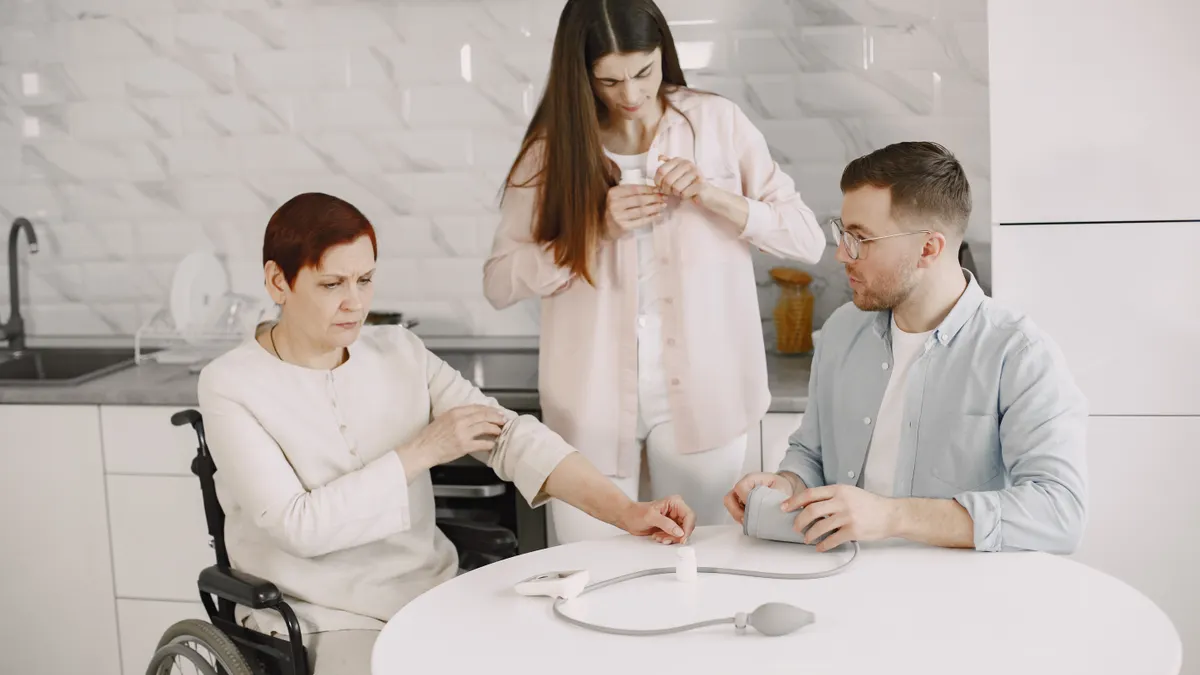
Therefore, this applies to an adult patient who wants a caregiver to get medical information, not to make medical decisions. It also applies to the caregiver who needs the information, whether that is a spouse, adult child, sibling, friend, or paid aide. The setup usually starts with a HIPAA authorization form from a primary care office, a hospital records department, or a patient portal. It assumes the patient knows the caregiver’s full legal name, a way to contact the caregiver, and which doctors or facilities should receive the release.
Because of that, “HIPAA authorization” here means permission to share protected health information, often called PHI. Consult a professional if you are unsure whether the records include diagnoses, lab results, medication lists, discharge summaries, imaging reports, or appointment notes. It does not create legal authority to sign treatment consent forms, handle money, or override a health care proxy; if you need that kind of power, ask a qualified professional which document fits. See HHS OCR’s HIPAA authorization guidance and the NIH glossary for PHI.
This is the right tool when the main goal is information access only. It is the wrong tool if the real problem is medical decision-making authority, access to accounts, or control over paperwork. It is also the wrong tool if the patient does not want broad sharing; in that case, the release can be limited to one doctor, one condition, or one time period. If the situation is contested, urgent, or part of a larger estate or guardianship issue, the safer path is to get qualified help rather than guessing at the form.
For a broader planning context, this page fits under the caregiver legal, financial, and medical authority hub. I am not repeating the rest of that framework here.
How do you set up a HIPAA release for a caregiver?
So, you set it up by naming the caregiver, choosing exactly what can be shared, signing the authorization, and giving copies to every office that holds records. The process is simple on paper, but the details matter because a missing date range or a blank signature line can make the form useless.
- Get the correct form from the place that will share the records. Ask the primary care office, the hospital records department, or the patient portal for their HIPAA authorization form, because some providers use their own version. Verify that it names the patient, the caregiver, the provider or facility, and a signature line dated by the patient. A problem sign is a generic form with no recipient named, since staff may reject it.
- Write the caregiver’s full legal name exactly as it appears on identification. Use the full first name, middle initial if requested, and last name, plus phone number and mailing address if the form asks for them. Verify that spelling matches an ID card or driver’s license. A problem sign is a nickname only, because the office may not be able to match the authorization to the right person.
- Identify the records source and the purpose of disclosure. Name the doctor’s office, clinic, hospital, or health system that may share information, and note the reason if the form asks for it, such as “care coordination” or “family communication.” Verify that the provider named on the form is the one holding the records you want. A problem sign is leaving the source blank when the office expects a specific entity.
- State what information may be released, using specific categories. Choose the narrowest set that still works: office visit notes, medication lists, test results, discharge instructions, billing summaries, or all medical records. Consult the office or a qualified professional if you are unsure how sensitive categories are handled; some forms ask separately about mental health, substance use treatment, or HIV-related information. A problem sign is checking “all records” when the patient only meant one diagnosis.
- Set a start date, end date, or event that ends the release. Many forms allow an expiration date, a 6-month or 1-year period, or an event like “end of treatment” or “revoked in writing.” Verify that the duration matches the caregiving need, and ask a professional if the form language is unclear. A problem sign is an unlimited release when the patient wanted only temporary help after surgery.
- Add any limits on how the caregiver may receive the information. If the form allows it, specify phone calls, mailed copies, secure email, or access through the patient portal, and check with the office if you are unsure what it can actually use. Verify the delivery method, because an office may not send details by unsecured text. A problem sign is assuming the office will use the caregiver’s preferred channel without writing it in.
- Have the patient sign and date the form before a witness only if the form requires one. Under HIPAA, a witness is not always required, but some providers ask for one as an office policy. Verify that the signature and date are complete, legible, and in the right place. A problem sign is signing on behalf of the patient unless the form and local law allow a personal representative to act.
- Give the completed authorization to every place that needs it and keep a copy. Submit it to the primary care office, the hospital records department, and any specialist office involved in care. Verify that each office scanned it into the chart or confirmed receipt. A problem sign is assuming one hospital file will automatically open access at every affiliated clinic.
A practical note: if the patient already uses a patient portal, the release may not be enough by itself. Some portals have separate proxy-access settings, so the office may need to create caregiver access in the system in addition to filing the authorization. That is a common point of confusion, especially when the family expects one form to work everywhere.
What information can a caregiver actually receive?

Meanwhile, a caregiver can receive only the information the authorization allows, and that usually means specific medical records rather than full control of everything in the chart. The form can be broad or narrow, but it should be written in plain terms that staff can apply without guessing.
A useful release often covers visit summaries, medication lists, allergy information, lab results, imaging reports, referrals, discharge instructions, and appointment schedules. It can also name a condition or episode, such as diabetes management or post-surgery follow-up, if the patient wants the release limited. If the patient wants the caregiver to be able to coordinate care, the form can permit discussion with doctors and nurses by phone, not just release of paper records.
The limits matter. A generic “share everything” line can pull in more than the family expected, including old notes, family history, or sensitive behavioral health entries. Some records may require separate language or extra protections under state law or facility policy. If the patient is worried about privacy, the narrow version is often the better form because it reduces unnecessary disclosure.
The patient portal deserves special attention. Some systems let a caregiver view messages, test results, and upcoming visits through proxy access. Others only allow the caregiver to pick up printed records from the records department. A HIPAA authorization can support portal access, but it does not guarantee that the portal will open unless the health system has a caregiver access workflow. The form should match the way the office actually shares information.
What should a doctor office form say?
Specifically, a doctor office form should say who may receive the information, what may be shared, for how long, and how the authorization can be revoked. Those four items are the core of a usable HIPAA authorization, and if one is missing, the office may refuse to use it or may limit what it releases.
The cleanest version names the patient, the caregiver, and the specific office or health system. It describes the information in categories rather than vague phrases. It sets an expiration date or event. It includes the patient’s signature and date. Many forms also include a revocation clause, meaning the patient can cancel the authorization later in writing unless the form or law creates a narrow exception.
The form should also identify any special record types. If the patient wants the caregiver to see mental health, substance use disorder, or reproductive health information, the office may use separate consent language or follow extra state rules. That is one reason a downloaded template from the internet can fail: it may look complete, but it may not match the provider’s own workflow or the law that applies to the chart.
One more detail: the form should not promise decision-making power unless that is separately authorized under a different document. A HIPAA authorization is about information flow. If the staff cannot tell whether the caregiver is only a messenger or also a decision-maker, the office may ask for a health care proxy, medical power of attorney, or another legal document that gives a different kind of authority. That separation is not a technicality; it is how many offices avoid mixing disclosure with consent.
When a standard HIPAA authorization is not enough
Then a standard HIPAA authorization is not enough when the patient needs someone to make treatment decisions, when the patient lacks capacity, or when the office has a separate rule for the type of record involved. In those situations, the problem is no longer only information access.
The patient wants the caregiver to make medical decisions: This means a HIPAA release alone is the wrong tool — ask about a health care proxy or other decision-making document in the correct jurisdiction.
The patient cannot understand or sign the form: This may mean the patient cannot validly authorize disclosure — contact the provider and a qualified lawyer for the next step.
The office asks for a different form or extra proof: This usually means the provider has its own process — follow that process instead of assuming one release works everywhere.
The records involve a sensitive category with extra rules: This may trigger separate consent requirements — ask the provider what additional language or form is needed.
There is a family dispute about access: This can lead to blocked disclosure or competing claims — stop and get legal guidance before submitting anything.
The caregiver only needs emergency contact information, not records: A HIPAA release may be more than is needed — ask the office whether a contact authorization or portal proxy is enough.
These are not edge cases to push through with a generic template. They are the moments when the standard form stops being the right instrument. A hospital records department can often explain its own intake process, but it cannot give legal advice about who should sign or what document controls a conflict. That is where a lawyer who knows the local rules becomes necessary.
The mistakes that create delays, denials, or oversharing
However, the most common mistake is using a form that is too broad. A patient checks “all information” because it seems simpler, then later learns the caregiver can see more than intended. The better alternative is to list the exact category, time period, or condition.
A second mistake is assuming one signature solves every access problem. A hospital may accept the form for records release, but the patient portal may still need separate proxy enrollment. The fix is to ask each office what it needs and submit the correct version to each one.
A third mistake is leaving the expiration date blank or choosing a duration that is too short. A 30-day release may expire before follow-up visits are done, while an unlimited release may outlast the caregiving need. The better choice is a date or event that matches the real care window, such as the end of a treatment episode or a 12-month period if the provider accepts it.
A fourth mistake is using a nickname or the wrong caregiver name. That can cause staff to reject the form or to misfile it. The better choice is the full legal name and contact information exactly as the office requests.
A fifth mistake is treating the HIPAA authorization like a health care proxy. That confusion can create false confidence because the caregiver can hear the information but still cannot make decisions. The fix is to keep the two documents separate and use the one that matches the task.
How do emergency access and portal access work?
Conversely, emergency access and portal access often work differently, even when both relate to the same patient. A HIPAA authorization can support disclosure in an urgent situation, but it does not guarantee instant access to every system a hospital uses.
In an emergency, providers may share information as allowed by HIPAA and by their own emergency protocols, even before a form is located. That usually means the caregiver may be given limited updates, especially if the patient is unable to speak. Once the emergency passes, the office may ask for a written authorization before continuing routine disclosure. The key point is that emergency access is narrower and more situational than ongoing caregiver access.
Portal access is usually more structured. Many systems require the patient to enroll the caregiver as a proxy, set a role, and confirm identity. Some portals allow full view access; others show only appointments, messages, or selected test results. A signed HIPAA authorization can help, but the portal may still have its own technical gatekeeping. If the patient wants the caregiver to manage messages from a cardiology office, for example, the portal settings may need to be changed in addition to the paper form.
For a good result, the caregiver should be able to explain the patient’s symptoms, current medications, and recent instructions to the next clinician without asking staff to repeat the entire chart. If the office keeps saying it “doesn’t have the form,” the problem is usually one of placement, not law: the form may need to be uploaded to the chart, scanned into the records department, and flagged for the front desk or portal team.
What a finished release should look like
Ultimately, a finished release should be readable in under 2 minutes and complete enough that a receptionist, nurse, or records clerk can act on it without guessing. The patient’s name should match the chart. The caregiver’s name should be spelled correctly. The provider or facility should be identified. The scope of disclosure should be specific. The end date should be visible. The signature and date should be in place.
The best practical test is this: if the patient handed the form to a primary care office, would staff know exactly what to release, to whom, and until when? If the answer is yes, the form is probably usable. If the answer is no, the patient should revise it before relying on it for care coordination.
For more on related planning issues, see the caregiver consent form guide, the health care proxy overview, and the patient portal access page. Those related pages help show when a release is enough and when a different document is needed.
The simplest version is often the best one, but only if it still names the person, the records, the time period, and the receiving office. That is what keeps the release narrow enough to protect privacy and broad enough to help the caregiver do the job.
Drafted with AI; not yet reviewed by a person.