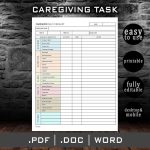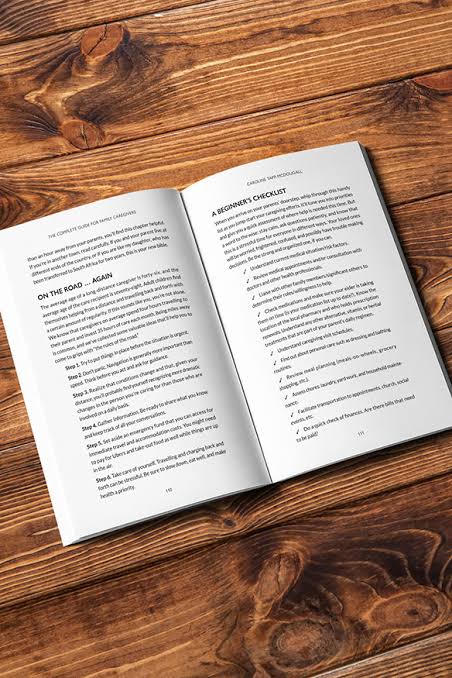
Last updated: August 10, 2026
Quick Answer: Effective caregiving tools organization rests on 5 core systems: a medication management layer (physical dispenser + digital log), a physical binder for emergencies, a shared cloud folder for daily access, a shared calendar, and a communication log. Set them up in that order — medication safety first — and review everything monthly. Most caregiving breakdowns happen not at setup but at handoff between caregivers.
Key Facts
-
Medication errors are among the most common preventable safety incidents in home caregiving.
-
Locking pill dispensers (e.g., Hero, Pria, MedMinder) cost roughly $30–$60/month on subscription and are among the highest-return single investments in home caregiving safety for people with mild cognitive impairment.
-
The post-hospitalization window — typically the first 30 days after discharge — is when medication errors and care gaps are most likely to occur.
-
Free tools (Google Calendar, Google Drive, Medisafe free tier) cover core caregiving organization functions at $0 cost.
-
A geriatric care manager typically charges $100–$200/hour but can reduce total care costs in complex situations by preventing crises.
-
Caregiving organization tools work best as a hybrid: analog (binder) for emergencies, digital (cloud folder, shared calendar) for day-to-day coordination.
-
Scheduling reviews once a month and after every hospitalization keeps systems accurate — outdated records create more risk than no records at all.
You’re standing in a pharmacy holding a new prescription, your phone is ringing from the doctor’s office, and you cannot remember whether your mother already took her blood pressure medication this morning. Most family caregivers know this exact moment. This guide covers caregiving tools organization — complete from medication management to end-of-life documents — because organization is not a nice-to-have in caregiving. It is a safety system.
My name is David Lerner, and I’ve spent the better part of a decade writing about eldercare systems, disability support, and the logistics of family caregiving. Not a clinician — a writer who covers this beat seriously, which means I’ve spoken with hundreds of family caregivers, home health aides, care coordinators, and care management professionals about what actually works inside a real household under real pressure. The tools and methods I describe here come from that accumulated knowledge, not from a clean-room experiment.
This guide addresses the full stack of caregiving tools organization: medication management, document organization, scheduling, communication between multiple caregivers, and digital versus analog systems. I’ll tell you which approaches work under which conditions, and I’ll tell you where the standard advice falls short.
The Real Problem with Most Caregiving Organization Advice
Most articles on this subject recommend a binder. Label the tabs, keep the insurance cards in the front pocket, done. The binder advice is not wrong — it is just twenty percent of the answer dressed up as the whole thing.
Here’s what the binder approach misses: caregiving tools organization breaks down not at setup but at handoff. The moment a second person enters the care situation — a sibling who visits on weekends, a home health aide who works Tuesday and Thursday, a neighbor who covers the occasional gap — the static binder becomes the thing only one person knows how to use. The problem isn’t filing. The problem is synchronization.
A second failure in standard advice: it optimizes for the stable phase of caregiving and ignores the acute phase entirely. A binder organized in January when your father was ambulatory and sharp is poorly suited to June when he has been hospitalized twice and has four new prescriptions. Good caregiving tools need to be updatable under duress, not just during a calm Sunday afternoon.
Both failure modes matter. Keep them in mind as you read through each tool category below.
Medication Management: The Area Where Errors Are Most Costly
Medication errors are among the most common and most preventable safety incidents in home caregiving. The challenge is not that people don’t care — it’s that the systems they use are poorly designed for the actual conditions.
Weekly pill organizers are the default, and they’re fine for a simple regimen: one person, two or three medications, no varying doses by time of day. Their limitation is that they show you what was supposed to happen, not what did happen. Empty compartment, taken dose, or an unfilled slot — those look identical, and that math stops working fast once cognitive decline enters the picture.
Locking pill dispensers with alarms solve this more reliably. These devices hold a week or more of pre-sorted medications in locked compartments that open only at the correct time and dispense only one dose. They alarm if a dose is missed. For a person with mild cognitive impairment living alone, this category of caregiving tool is probably the highest-return single investment in home caregiving safety. Brands like Hero, Pria, and MedMinder occupy this space, with subscription plans typically running $30–$60 per month; all are available through the manufacturers’ own sites and through major retailers, so you’re not locked into one purchasing channel.
The honest drawback: these dispensers require consistent refilling, and that task must fall to someone who will actually do it reliably. If the caregiver responsible for filling it is also the one most likely to be exhausted and distracted, the system can fail quietly — the device is empty or mis-loaded and nobody notices until a dose is missed.
Medication tracking apps — CareZone, Medisafe, and similar — offer a log that multiple people can see. The pharmacist updates the list, a sibling confirms the evening dose was given, the primary organizer checks from across town. For multi-caregiver households, the log feature alone makes an app worth using. The National Institute on Aging (nia.nih.gov) has published guidance on medication management for older adults that includes how to structure these lists with a physician’s input; it’s worth reading before you design your system.
Because medication errors are both preventable and consequential, the right approach combines tools rather than choosing just one. Use a physical dispenser for administration and a digital log to close the loop between caregivers — neither alone is sufficient for a complex or multi-caregiver situation.
Which Documents Should a Caregiver Keep Accessible? A Practical Checklist
This is the section where the binder gets its due — and where it also shows its limits.
The physical binder earns its place for one specific reason: it works without electricity, without a password, and without anyone having an account. In a genuine emergency — paramedics at the door at 2 a.m. — a labeled binder on the counter is faster than any app. Based on widely used caregiving checklists (the American Bar Association’s Commission on Law and Aging at americanbar.org/groups/law_aging offers one useful audit tool), a well-organized caregiving binder typically includes:
-
A current medication list with dosages and prescribing physicians — confirm this list with your pharmacist or physician at least every 90 days
-
Insurance cards (Medicare, supplemental, prescription)
-
A copy of the healthcare proxy and durable power of attorney
-
Emergency contacts with relationship labels, not just names
-
Primary care physician and specialist contact information
-
A one-page medical history summary: major diagnoses, allergies, surgical history
Note: Your binder’s contents will vary by the care recipient’s specific situation. Review this list with their doctor to confirm it fits your circumstances.
Update the binder every time there is a change. Print a new medication list rather than hand-annotating the old one. A binder with crossed-out entries and margin notes is harder to read under pressure than a fresh page.
But the binder has a real failure point: it sits in one house. At a specialist’s office, in a hospital across town, or at a different family member’s home for the holidays — the binder is not there.
Cloud-based document storage — a shared Google Drive folder, a dedicated service like Dropbox or iCloud Drive, or a caregiving-specific platform — solves portability. Organized logically and shared with all relevant parties, the folder means the advance directive is accessible from the ER on a phone. As noted above, the American Bar Association’s Commission on Law and Aging (americanbar.org/groups/law_aging) maintains guidance on the legal documents caregivers should have in order; it’s a useful checklist against which to audit your folder.
Honest drawbacks of going digital-only: you need every relevant person to have access credentials and to actually use the system. Older adults and less tech-comfortable relatives often don’t. There’s also the question of what happens if the primary account holder dies — access may be complicated or impossible without prior planning.
The recommendation: build both. The binder is the emergency kit. The cloud folder is the working system. They should mirror each other in content, with the digital version updated first and the binder reprinted quarterly or after any major change.
How Do You Coordinate Schedules Across Multiple Caregivers?
The single most underestimated organizational challenge in caregiving is not tracking medications or filing documents. Coordinating schedules between multiple people — without anyone feeling blindsided, resentful, or forgotten — is where things actually fall apart.
Shared care responsibility, even informally between adult siblings, produces three predictable problems when no clear system exists. First, gaps: nobody shows up for a Thursday appointment because both people assumed the other was handling it. Second, duplication: two people both order the same prescription refill. Third, invisible burden: one person does most of the labor because they are the one paying attention to the calendar, and nobody else realizes how much that costs them.
Shared digital calendars are the baseline for caregiving tools organization. Google Calendar, Apple Calendar, or Microsoft Outlook all allow a caregiving calendar to be shared across multiple accounts, color-coded by caregiver, and integrated with phone reminders. The minimum useful setup: one calendar dedicated entirely to caregiving, shared with every person involved in direct care, with every appointment, medication pickup, and care visit entered with enough detail that someone reading it cold knows what to do.
Dedicated caregiving coordination apps go further. Lotsa Helping Hands and CaringBridge are two of the better-known platforms; both let you post schedules, updates, and task lists visible to an extended support network. They’re particularly useful when the circle of helpers is wide — church friends, neighbors, former colleagues — and you need a way to assign tasks without making forty individual phone calls. The Caregiver Action Network (caregiveraction.org) offers practical coordination templates worth using as a starting point rather than building your scheduling system from scratch.
One honest limitation of these apps: adoption. Three of five involved family members not checking the app means it becomes another thing the primary caregiver maintains alone — and the coordination overhead can exceed the benefit. Before committing to a platform, have a real conversation with the people who need to use it. A shared iCalendar that four out of five people already use on their phones beats a purpose-built tool that only one person opens.
Communication Logs: Creating a Record That Protects Everyone
Communication logs rarely come up in caregiving organization guides, but they serve two important functions. The first is practical: a dated record of what happened, and who was told, creates continuity across caregivers so nothing gets lost between shifts. The second is protective — if a dispute arises with a healthcare provider, an insurance company, or a family member who claims they were never informed, a contemporaneous log is evidence.
Nothing elaborate is required. A shared document or a notebook with dated entries covering:
-
What was observed or reported (symptoms, behavioral changes, falls, confusion episodes)
-
What was communicated to whom (called Dr. Reyes at 10:15 a.m., left voicemail)
-
What was decided or changed (increased morning aide hours, stopped a medication per physician instruction)
-
Who provided care during that period
The key discipline: date every entry and write it the same day, not reconstructed a week later.
Some caregivers use a physical notebook kept in the care recipient’s home that every aide and family member writes in. Others use a shared Google Doc. Honestly, the format matters less than the habit — whatever requires the least friction to use consistently is the right choice for your household.
Because the log records not just what was done but what was communicated and to whom, it also helps when behavioral or medication changes need to be traced back. A well-maintained log can tell you, weeks later, exactly when a new symptom first appeared and who was notified — information that becomes critical if a condition escalates.
Once that communication habit is in place, you have a foundation for the broader question of which tools — digital or analog — best support the rest of your caregiving tools organization system.
Digital vs. Analog Caregiving Tools: The Honest Side-by-Side
  Criteria
  Digital Tools
  Analog Tools
  Better For

  Emergency accessibility
  Requires charged device, login
  Immediate, no power needed
  Emergencies: analog wins

  Multi-caregiver sync
  Real-time updates across users
  Single copy, no sync
  Multi-caregiver: digital wins

  Portability
  Accessible from anywhere
  Tied to one location
  Remote access: digital wins

  Setup time
  Higher (accounts, sharing, training)
  Low (print and file)
  Quick setup: analog wins

  Cost
  Ranges from free to ~$60/month subscription
  Low one-time cost (under $20)
  Budget: analog wins

  Tech-accessibility
  Requires comfort with devices
  No technical skill needed
  Low-tech users: analog wins

  Durability under caregiver stress
  Neglected when overwhelmed
  Also neglected, but simpler to revive
  Roughly equal

  Update ease
  Easy to edit and redistribute
  Must reprint or re-copy
  Ongoing changes: digital wins

  Redundancy / backup
  Needs deliberate backup planning
  Physical copy is the backup
  Depends on maintenance
No tool category wins outright. Caregivers who manage best are the ones who use a hybrid approach designed for their specific household rather than searching for the single perfect system. The comparison above is most useful when you have a concrete constraint — a family member who won’t use apps, or a care situation spanning two cities — and need to know which tradeoff matters most.
Caregiving Tools for Specific Scenarios: When the Standard Advice Flips
Standard caregiving tools organization advice assumes a stable home-care situation with a reasonably coherent network of helpers. Three scenarios break those assumptions.
Long-distance caregiving. Serving as the primary organizer from more than two hours away means your physical presence cannot be the system’s anchor. Digital-first organization is mandatory, not optional. All documents need to be cloud-accessible. Every schedule needs to be shared with a local contact who can verify that things are actually happening. A geriatric care manager — a licensed professional who can attend appointments, relay information, and flag problems locally — is worth investigating if distance is significant. The Aging Life Care Association (aginglifecare.org) maintains a locator for these professionals.
Post-hospitalization transition. The period immediately after a hospital discharge — typically the first 30 days — is when medication errors and care gaps are most likely. The organizing priority here is not the binder or the calendar. It is a single, current, verified medication list reconciled against what the hospital prescribed. Discharge paperwork often conflicts with the pre-admission medication list. Before you leave the hospital, ask the discharge nurse to review both lists with you. Get the new list in writing, update your tracking app and your binder that same day, and confirm with the attending physician within 48 hours.
Cognitive decline progressing to dementia. As a care recipient’s cognitive abilities decrease, the tools that required their participation — asking them whether they took their medication, reviewing the calendar with them — stop working. The organizational burden shifts entirely to the caregiver and the care system. At this stage, locking dispensers, professional in-home aides with documented shift logs, and a care manager become less optional and more necessary.
Palliative and end-of-life care. Here, the documents that matter most are the ones that ensure a person’s wishes are honored: advance directive, POLST form (Physician Orders for Life-Sustaining Treatment), and healthcare proxy paperwork. Consult an elder law attorney or the care recipient’s physician about which forms apply in your state and how to execute them correctly — requirements vary by jurisdiction. These documents need to be not only filed but actively distributed to the medical team, the hospital of likely admission, and every caregiver involved. A document that exists only in the binder does not reach the ER physician. Ask their doctor how to ensure these are in the electronic medical record. The National Hospice and Palliative Care Organization (nhpco.org) offers state-specific guidance on advance care planning documents.
Choosing and Prioritizing Your Caregiving Tools: Start Here, Not Everywhere
The trap in guides like this one is that the reader leaves with a list of twelve systems to implement and implements none of them, because the scope is paralyzing. Sequence by risk, not by completeness — that’s the right approach.
Week one: Get the medication list right and get it current. This is the highest-consequence item and the most frequently wrong element in caregiving tools organization. Write down every medication with dose and frequency, confirm it with the prescribing physicians if there is any doubt, and make sure at least one other person has an updated copy.
Week two: Establish a shared calendar with every appointment for the next 90 days, and confirm that at least one other person can see and edit it.
Week three: Scan or photograph the critical documents — advance directive, insurance cards, emergency contacts — and put them in a shared folder.
Month two onward: Add communication logging, evaluate whether a locking dispenser makes sense for your situation, and recalibrate every three months or after any significant change in condition.
Done in this order, you build a system that reduces the highest-risk gaps first and grows incrementally rather than demanding a perfect setup before it can begin. Because each step builds on the previous one, the whole system is easier to hand off to another caregiver when that moment comes.
FAQ: Caregiving Tools and Organization
How do I get other family members to use a shared caregiving system? Reducing to a single system usually helps more than any persuasion tactic. One shared calendar that lives on the phones people already use is more likely to get consistent adoption than a purpose-built app that requires a new login. Frame it as protection for them — listed on the shared calendar, they can’t be blindsided. Start simple. Complexity is the reason people opt out.
Which documents should a caregiver typically keep accessible? In most situations, five categories cover the majority of emergency and administrative needs: a current medication list, emergency contacts, insurance information, the name and number of the doctor managing primary care, and copies of the advance directive and power of attorney. Confirm this list with the care recipient’s physician, since individual situations vary — someone with a complex medical history or multiple specialists may need additional records on hand.
Are there free caregiving tools that work well for coordination? Yes. Google Calendar for scheduling, Google Drive for document storage, and the free tier of Medisafe or a similar medication reminder app cover core functions at no cost. Paid platforms add features like professional integration and team dashboards, but they are not necessary for most family caregiving situations.
What is the biggest mistake caregivers make with organization systems? Building the system once and never updating it. A medication list from eight months ago, a binder that still shows last year’s insurance information, a shared calendar nobody has touched since setup — these are more dangerous than no system at all because they create false confidence. Schedule a 15-minute review once a month and after every medical appointment or hospitalization.
When should a family caregiver consider hiring a professional care manager? When coordination complexity exceeds what any volunteer can reasonably manage: multiple specialists, a primary caregiver who lives far away, a rapidly changing condition, or family disagreements interfering with decisions. A geriatric care manager typically charges $100–$200 per hour, but in complex situations their ability to quarterback the medical and social care system often reduces total costs by preventing crises. After the second or third crisis in a year, that hourly rate starts to look very different.