Last updated: November 19, 2026
Key Takeaways
- An insurance claims folder should keep billing, payment, and dispute papers together for each claim.
- Sort by claim, label each divider, and place a one-page index at the front.
- The EOB belongs with the provider bill and any denial or payment notice in the claim section.
- Start labels with the claim number, then add the date of service so disputes are easier to trace.
An insurance claims folder keeps every EOB, claim number, denial, appeal letter, policy document, and provider bill in one place, so you can track a claim without hunting through piles of paper. If you are learning how to set up a folder for insurance claims and explanations of benefits, start with a claim-by-claim system with one divider per claim and one master index. The steps below show exactly what to put in it and how to tell if it’s working.
Who this folder is for, and what you need first
This folder is for anyone helping manage medical or other insurance paperwork, especially when a claim gets denied, corrected, or appealed. It assumes you already have the basics: the insurance company name, the policy documents, at least one EOB, and any provider bills you’ve received.
Picture this: you have three different dates, two bills, and one denial notice, and none of them match at first glance. A folder for insurance claims and explanations of benefits fixes that by making each claim traceable from start to finish. The truth is, this is information rather than financial advice, and a qualified adviser should be consulted for your own situation if the claim affects a larger financial decision.
Use this if you need to answer questions like, “What was billed?” and “What did the insurer pay?”
Use something else if you are trying to build a full household budget file. That is a different job.
Best fit: claim follow-up, denial review, and appeal support.
Not a fit: general bill organizing with no insurance issue.
What should go in an insurance claims folder?
An insurance claims folder should hold the papers that prove what was billed, what was paid, and what is still in dispute. A single folder can work, but a binder with 4 to 6 tabs is easier when a claim is active.
Picture this: you open the folder after a call with the insurance company and want the answer in under 30 seconds. You’ll need the claim number, the EOB, the provider bill, and any letter you sent or got back.
Keep these core items together for each claim:
- the EOB, which means explanation of benefits
- the provider bill or statement
- the claim number
- policy documents showing coverage terms
- denial letters or adjustment notices
- appeal letters and proof you sent them
- notes from phone calls, including date, time, and the name or ID of the representative
A good folder has a separate place for “open claims” and “closed claims.” If you are mixing active denials with old paid claims, the system will slow down.
That’s a warning sign.
How do you set up an insurance claims folder?
You set up an insurance claims folder by sorting documents by claim, labeling each divider, and adding a one-page index at the front. Start with a 1-inch binder or a file folder set, then build it in the order you would use it.
Picture this: you’re sitting at a kitchen table with a stack of mail, and you need the folder to answer the next call. The goal is not pretty storage. The goal is fast proof.
- Choose one container. Use a binder with tabs, a two-pocket folder set, or a hanging file box, and keep it to one system. Verify that every claim can fit without bending papers; if sheets are spilling out, the container is too small.
- Label the front and tabs. Write the insurance company name, the policy holder name, and the date range on the cover, then make tabs for each claim number. Verify that someone else could find the right section in under 1 minute; if not, the labels are too vague.
- Create a master index. Put a 1-page list at the front with claim number, patient or member name, date of service, provider, amount billed, and current status. Verify that each row matches a paper in the folder; if you can’t match them, the index is incomplete.
- Separate claims by claim number. Put all papers for one claim together, even if they arrived on different dates. Verify that an EOB, bill, and denial letter for the same claim sit in the same tab; if they are split, the folder will fail during an appeal.
- File papers in date order. Put the newest item on top and the oldest behind it, using the date printed on the document, not the date you opened the mail. Verify that the timeline reads cleanly from first bill to final decision; if dates jump around, reorder the stack.
- Add a phone log page. Keep one sheet per claim for calls, with date, time, person spoken to, summary, and reference number if you got one. Verify that each call note has at least the date and the insurer or provider name; if those are missing, the note is hard to use later.
- Clip the appeal package together. If you send an appeal, keep the appeal letter, supporting documents, and proof of mailing or upload in the same section. Verify that you can see exactly what was sent; if a key page is missing, you may not be able to prove the appeal later.
- Move closed claims to a back section. Once a claim is fully paid, denied and not appealed, or fully resolved, move it behind an “closed” tab. Verify that active disputes stay in front; if old papers crowd the front, the folder is no longer doing its job.
The first time through, the system should take 15 to 30 minutes per claim if you’re rebuilding from a pile. If you can’t get through one claim without stopping to guess where a paper belongs, the layout needs to be simpler.
What is an EOB, and where does it go?
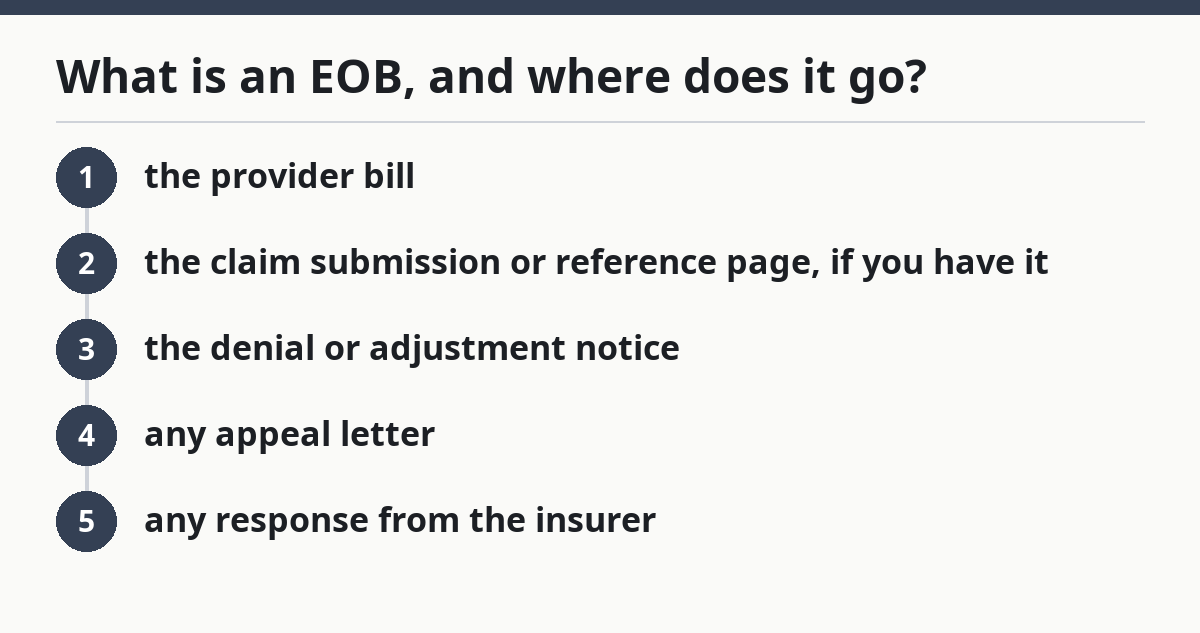
An EOB goes in the claim’s main tab, directly with the provider bill and any denial or payment notice. An EOB, or explanation of benefits, is not the bill itself; it is the insurer’s record of how the claim was processed.
Picture this: the provider bill says one number, and the EOB says another. That mismatch is exactly why the EOB deserves its own place in the folder. It tells you what was charged, what the plan allowed, what the insurer paid, and what may still be your responsibility.
Put the EOB near the top of the claim section, then follow it with:
- the provider bill
- the claim submission or reference page, if you have it
- the denial or adjustment notice
- any appeal letter
- any response from the insurer
If the EOB is missing a claim number, mark that on your index and store the paper anyway. Missing data is a problem, but not filing it is worse.
For quick checks, common EOB dates and claim numbers help you match the paper to the right section. If you need help reading the form, the Medicare glossary and insurer help pages are useful references.
How should you label paper claims so they stay usable?
You should label paper claims by claim number first, then by date of service, because those two details are what let you trace a dispute quickly. If you have more than one family member or one insurance company, add the member name and provider name on the divider.
Picture this: you open the folder six months later and still know which page belongs where. Labels do that work for you when your memory doesn’t. Here’s the catch: if you use only “doctor” or “hospital” on a tab, that label won’t help when several visits happen in the same month.
Use a simple label format:
- Claim #123456
- Member: initials or full name
- Provider: clinic or hospital name
- Date of service: month/day/year
- Status: open, denied, appealed, paid, closed
For digital files, use the same naming pattern in a scan folder: 2026-01-15_Claim123456_EOB. Keep names short enough that you can read them in a file list. If your names become a sentence, the system will be hard to sort.
A practical check: if you can find the right file in under 2 clicks or 2 minutes, the labels are doing their job. If not, tighten the naming pattern.
What should you save if a claim is denied?
You should save the denial notice, the EOB, the provider bill, the policy section that applies, and every appeal letter or supporting page you send. A denial is not just a no; it is a paper trail that may be corrected, explained, or appealed.
Picture this: you get a denial for “not covered” or “missing information,” but you don’t know which document to use next. The folder is what turns that vague letter into a next step. You do not need to guess which papers matter most if you save the full set the first time.
Keep these items together for any denied claim:
- the denial letter or denial code
- the EOB showing the denial
- the provider’s itemized bill
- the policy document that may cover the service
- the appeal letter
- any fax confirmation, upload receipt, certified mail receipt, or portal message
- notes from calls with the insurance company
If the denial is tied to prior authorization, keep that approval or authorization number in the same section. If it is tied to medical necessity or missing documentation, keep the supporting records with the appeal package.
A denial section without the policy page is incomplete.
That’s the mistake people make.
When should you stop organizing and get the right help?
You should stop using a simple folder system when the claim involves deadlines, repeated denials, missing policy language, or a large dollar amount that you cannot document clearly. A folder helps organize the record; it does not fix a broken claim by itself.
Picture this: you have done the filing, but the insurer keeps asking for the same paper or the appeal deadline is close. At that point, the folder is still useful, but the case may need outside help to keep moving.
Stop and get qualified help when:
The claim has an appeal deadline in the next few days: you may not have time to rebuild the record from scratch — send what you have and ask for help right away.
The denial cites policy language you cannot find: the file is missing the rule that controls the decision — obtain the full policy documents before you keep arguing.
There are several claims with the same date of service: the papers can get crossed, which can cause the wrong bill to be disputed — separate each claim by its own number.
The insurer says documents were not received: the issue is proof, not just paperwork — gather upload receipts, fax confirmations, or mailing proof.
You see a balance that does not match the EOB: the account may have been processed again or split across claims — pause and reconcile the documents line by line.
Someone else is helping manage the claim: privacy rules may affect what can be shared — use the insurer’s authorization process before sending papers around.
A folder is the right tool for recordkeeping. It is not the right tool when the dispute is moving faster than the paperwork.
What mistakes do people make with claim folders?
People usually make the same few mistakes, and each one turns a simple file into a headache. The fix is usually boring, which is exactly why it works.
Picture this: you have a folder, but the one paper you need is missing, upside down, or filed under the wrong person. That’s how small errors become long phone calls.
Common mistakes and the fix:
- Mixing bills from different claims: this makes it hard to tell what the insurer actually processed. Keep one divider per claim number.
- Keeping only the EOB: that leaves out the provider bill and any denial reason. Save both sides of the record.
- Filing by date only: dates repeat, and that causes confusion fast. Add claim number and provider name.
- Throwing away envelope or portal details: those pages can show mailing dates or message dates. Keep proof of delivery when you send an appeal.
- Not recording phone calls: memory fades, and insurers often ask you to repeat the same information. Use a call log page with date and reference number.
- Putting closed claims on top: active disputes disappear under old papers. Keep open claims in front and move resolved files back.
If your folder makes you stop and sort every time you open it, the system is too loose. Tighten it before the next claim comes in.
How this works for caregiving paperwork without turning into a full household file
This folder works best as a narrow claim file, not a catch-all for every expense, receipt, or medical paper in the house. That separation matters because insurance claims need a different paper trail than budgeting or tax records.
Picture this: you’re trying to find one EOB, but the folder also holds grocery receipts, mileage notes, and unrelated statements. The file is now doing too many jobs. A clean claims folder should stay focused on insurance company paperwork, provider bills, policy documents, and appeals.
Keep it separate from:
- general household bills
- tax files
- receipts for out-of-pocket spending
- caregiving expense logs
- unrelated medical paperwork that does not affect the claim
If the same visit creates both an insurance claim and a receipt for later tracking, put the claim papers here and the other records in their own file. One document can live in two places if you scan it, but the paper original should have a main home. That keeps the folder from becoming a dumping ground.
For readers building a broader system, this page fits inside the larger caregiver legal and financial organization hub. That hub belongs to the wider recordkeeping plan; this page stays on claims and EOBs only.
For related guidance, see the IRS records retention pages, the Medicare explanation of benefits information, and HealthCare.gov resources on appeals and coverage documents.
FAQ
What is an EOB?
An EOB is an explanation of benefits from the insurance company. It shows how a claim was processed, what was billed, what the plan allowed, and what may still be owed. It is not the same as the provider’s bill, so both papers should stay in the same claim section.
How do I organize insurance paperwork for caregiving?
Organize it by claim number first, then by date of service and provider. Keep the EOB, provider bill, denial letters, appeal letters, policy documents, and call notes together in one folder or binder section for each claim.
What if I only have digital copies?
Use the same structure in a scan folder. Name files by claim number and date, keep the EOB with the bill, and store appeal receipts or portal messages in the same claim folder.
Drafted with AI; not yet reviewed by a person.