How to Make a Caregiver Information Folder for Each Specialist

Last updated: November 19, 2026
Key Takeaways
- Keep each specialist’s records in a separate folder so papers do not get mixed up.
- A specialist folder should cover what you need before, during, and after a visit.
- You can start the first folder in 20 minutes with a binder, 5 tabs, and the newest papers.
- File visit summaries by date and keep test results behind them in the easiest scan order.
A caregiver information folder for each specialist keeps visit summary, test result, and contact detail in one place. Make one folder per specialist and keep it updated after every visit. This article on how to make a caregiver information folder for each specialist shows exactly what goes in each folder and how to keep the papers usable when a follow-up call comes in.
Build one folder per specialist, not one giant stack

A separate specialist information folder keeps records from one specialist doctor from getting tangled with another. If you sort by specialist now, you can find the right visit summary, test result, and care timeline in under a minute when the office calls back.
Use a plain 1-inch binder, a file folder, or a pocket accordion file for each specialist. Label the front with the specialist’s name, clinic, phone number, and the month you started the folder. A $1 divider pack and sticky tabs are enough to make it usable fast.
One folder per specialist. That is the whole point.
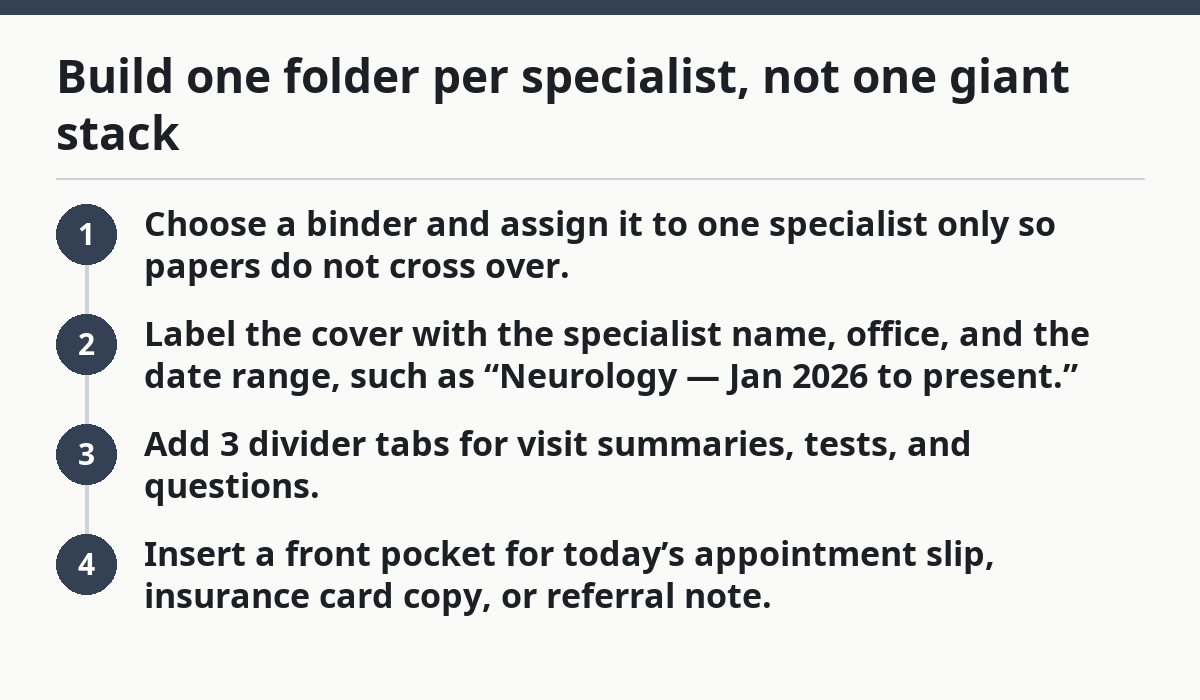
- Choose a binder and assign it to one specialist only so papers do not cross over.
- Label the cover with the specialist name, office, and the date range, such as “Neurology — Jan 2026 to present.”
- Add 3 divider tabs for visit summaries, tests, and questions.
- Insert a front pocket for today’s appointment slip, insurance card copy, or referral note.
Therefore, a mixed pile feels easier for one week and worse for every appointment after that. A cardiology note in a pulmonology stack can cost you time, and sometimes a whole phone call, because nobody can tell which report belongs where. See also: caregiver paperwork and records organization, medication list for caregivers, and medical appointment prep checklist.
What should go in a specialist folder?
A specialist folder should hold the papers you need before, during, and after a visit. Keep the set tight: contact details, visit summary, test result, current medicines if the specialist changed them, and the next questions you want answered.
The first page should be a short cover sheet with the specialist’s office name, direct phone number, fax number if you have it, the patient’s full name, and the date of the last visit. Put the most recent paper on top so you do not dig through 20 older pages just to find one lab result.
Include these items in every folder:
- Specialist doctor name and clinic contact details
- Referral note, if there is one
- Visit summary from each appointment
- Test result, imaging report, or procedure note
- Medication changes made by that specialist
- Questions for the next visit
- Symptom timeline for the symptoms that specialist is following
For example, you might keep a pulmonology folder limited to breathing visits, results, and questions, while the main household records set holds broader history.
Now, you might be wondering what not to put in. Do not shove every medical paper into every folder. A pulmonology folder does not need the entire primary care history. If it is not needed to manage that specialty, it belongs in the main household records set, not here.
How do I set up the first folder in 20 minutes?
You can set up the first folder in 20 minutes with a binder, 5 tabs, and the most recent papers from the last appointment. Start with the specialist you see most often, because that folder gets used first and needs the cleanest structure.
Because of that, setup works best if you stop after the basics and fill in the rest later. An overbuilt folder with 12 sections looks neat on day one and slows you down on day 30.
- Gather a binder and 5 dividers before you start.
- Place the newest visit summary in the front section so it is the first paper seen.
- File the last test result behind the summary, even if it is only one page.
- Write the next questions on a plain sheet and keep it in the front pocket.
- Add the contact card with office phone, portal name, and fax number.
Next, a clean setup gives you a working folder before the next callback, not after. If the specialist follows the same problem for months, this first folder becomes the template for every other specialist.
How do I organize visit summaries and test results?
You should file visit summaries in date order and keep test results behind them by type or by date, whichever is easier to scan. The rule is simple: newest on top, old copies behind, and no loose pages floating around the house.
Use a 2-tab split if the specialist sends a lot of paperwork, or 3 tabs if the visits are fuller. One tab can hold visit summaries, one can hold test results, and one can hold procedure notes or imaging reports. If the office gives you a 6-page packet, keep the full packet together instead of tearing it apart.
A practical filing order often looks like this:
- Most recent visit summary
- Most recent test result
- Earlier test result
- Procedure or imaging note
- Past visit summary
- Old referral or consult note
Specifically, you do not need to memorize the whole chart. You only need to know where the last 2 visits live and where the most recent result sits. That is enough to answer most questions during a phone call.
If a result matters across more than one specialist, keep a copy in each relevant folder. A kidney lab may matter to nephrology and primary care, so make sure each specialist folder shows the version that person needs to see quickly. See labs and test results, referrals and consults, and when to call the doctor.
How do I track questions for the next visit?
You track questions for the next visit on one running page at the front of the folder. That page turns scattered thoughts into a list you can use in the exam room, and it stops you from forgetting the question that mattered most at home.
Use one sheet per specialist and title it “Next Visit Questions.” Leave space for the date, the answer, and any new test or medicine name. If the specialist tends to change plans often, keep the sheet in the front pocket so you can add to it the same day a concern comes up.
A good question list is short and specific:
- What changed since the last visit?
- What does this test result mean for the next 3 months?
- Which symptom needs a call before the next appointment?
- Do any medicines need a dose change?
- What follow-up test is due next?
The mistake here is writing vague notes like “ask about symptoms.” That costs time in the room and often leads to a hand-wave answer. Write the exact symptom, date, or medication name instead. “Left ankle swelling after 2 p.m. for 4 days” beats “swelling issue” every time.
Meanwhile, if the specialist uses an online portal, print the message or jot the date and subject line on your question page. Portal messages vanish from memory fast, even when they are still in the inbox.
How do I keep a symptom timeline without mixing it with the folder?
You keep a symptom timeline as a short log inside the specialist folder, but only for the symptoms that specialist is treating. If you are unsure whether a note belongs there, ask the specialist or another health professional; that keeps the folder focused without turning it into a full caregiver journal, which belongs in a different system. See caregiver paperwork and records organization and symptom tracker for caregivers.
Use a half-page or one-page timeline with 4 fields: date, symptom, trigger or change, and what happened next. You do not need a long narrative. A tight timeline is easier to scan when you are asked, “When did this start?” or “Has it gotten worse since March?”
A simple timeline entry can look like this:
- 4/12: cough returned after dinner; lasted 30 minutes
- 4/15: cough less frequent after inhaler change
- 4/21: no night coughing; sleep improved
Keep the timeline only if it helps the specialist make decisions. If the folder starts collecting daily notes that do not affect treatment, ask the specialist or another health professional whether they belong elsewhere; otherwise the folder gets heavy fast and the useful papers get buried. That is a bad trade.
For a broader records system, the hub on caregiver paperwork and records organization can sit above these specialist folders so the whole family record stays consistent.
How do I keep each folder current after every visit?
You keep each folder current by filing papers the same day or within 24 hours after the appointment. If you can do that, this one habit helps prevent the folder from becoming a box of half-sorted reminders, and it takes less than 10 minutes when you stay on top of it.
A useful end-of-visit routine is short:
- File the visit summary in front of the correct specialist folder.
- Add the test result or imaging note when it arrives.
- Write the next appointment date on the cover sheet or divider tab.
- Update the question page with any new follow-up items.
- Remove duplicates so the folder does not fill with the same report twice.
After that, the biggest mistake is waiting until “later” to sort it. Later turns into a stack on the kitchen table, then a missed paper, then a wasted phone call to the office asking for the same report again. That is not organization; that is delay with a label on it.
Keep one small supply kit with the folder set: sticky tabs, a fine-tip pen, a hole punch, and 10 to 20 blank sheets. That tiny kit means you can fix the folder the same day instead of starting over.
What mistakes make a specialist folder fail?
A specialist folder fails when it is too broad, too thin, or too stale. A folder that holds every medical paper becomes hard to scan, and a folder that has only one old visit summary gives no help at the next appointment.
The most common mistakes are easy to spot:
- One mixed folder for all specialists — slows down calls and follow-up.
- No date order — makes the latest plan hard to find.
- No contact sheet — costs time when a refill or message is needed.
- No question page — leads to forgotten concerns.
- No symptom timeline — makes it hard to explain changes clearly.
Use a simple fix for each problem. Split the folder by specialist, keep newest papers first, and limit the folder to the records that specialist actually uses. If a paper has no job in that folder, move it out.
Who this is not for: if you need one master set for many people in one household, a single specialist folder system will feel too narrow. This page is built for one person’s specialist-by-specialist records, not a shared family archive.
How do I bring old test results to an appointment?
Bring the most recent relevant test results, plus any older result the specialist needs to compare. The goal is not to carry a whole archive; it is to hand over the papers that show change over time.
Put the newest result on top and clip together older copies that explain the trend. If the specialist asked about a 6-month change, bring the report from 6 months ago and the latest one. If the office already has a portal copy, still carry yours unless you know they have the exact report in front of them.
A quick appointment pack looks like this:
- Latest visit summary
- Latest test result
- Older comparison result
- Current medication list
- Written questions
- Insurance card copy
If you have paper and portal copies, label your version with the date so nobody guesses which one is newest. A printed report with a clear date is easier to hand over than a loose screenshot saved in a phone gallery.
Should each specialist have its own folder?
Yes. Each specialist should have its own folder so visit summaries, test results, and contact details stay grouped by the person who needs them. That makes follow-up faster and cuts down on missed papers. If one specialist manages several related problems, you can still keep one folder for that specialist and use dividers inside it.
What should go in a specialist folder?
A specialist folder should hold the specialist’s contact details, the newest visit summary, test results, questions for the next visit, and a short symptom timeline if that specialist is tracking symptoms. Keep the folder narrow enough that you can find the latest paper in under a minute. Put older reports behind the newest ones.
How do I bring old test results to an appointment?
Bring the latest test result and any older report the specialist needs for comparison. Put the newest copy on top, add the earlier one behind it, and carry a short list of current medicines and questions. If the office already has portal access, bring your paper copy anyway in case the chart is incomplete.
Drafted with AI; not yet reviewed by a person.