Last updated: November 19, 2026
How to create a care binder for a family caregiver starts with one goal: keep the most-used medical, insurance, and contact information in one place so it is easy to find when time is tight. Start with a simple 1-inch binder, clear section dividers, and a printed medical summary so the information is easy to find even when the phone battery is dead.
Key takeaways
- A care binder works best when it is simple enough to update in under 10 minutes.
- Paper still matters, because a binder is easier to hand to a doctor’s office than a phone full of screenshots.
- The most useful sections are medical summaries, medication lists, insurance cards, appointment records, contact lists, and copies of advance directive or HIPAA release documents if the care team asks for them.
- The binder is not a task tracker or a crisis plan; those belong in separate systems.
- A good binder is the one another person can open and use without a long explanation.
What a care binder should do for you
A care binder should put the right care information in one place so you are not hunting through drawers, text threads, and email attachments. For a family caregiver, the goal is not to archive everything. The goal is to keep the documents and details that get asked for most often in a form that can be reached in 30 seconds.
A good binder usually includes a few paper originals or copies and a digital backup on a phone, computer, or cloud drive. That combination matters because some situations call for a printed page, while others are easier to handle with a searchable PDF. A 3-ring binder is usually the simplest format because pages can move around without starting over. A 1-inch binder is enough for many families; if the file is growing past that, split it into two binders rather than stuffing pages into an overfull spine.
This page is about organizing care information, not about legal authority, emergency planning, or logging every caregiver update. It fits alongside the broader caregiver coordination and communication hub, but it is not the same thing as a communication log or an emergency contact sheet.
The binder is wrong for someone who wants a tiny wallet card only, or for a family that already has a full electronic record system with a clear owner and backup process. It is also not a substitute for professional medical advice, and it does not replace a clinician’s record.
What do I need before I start a care binder?
You need a 1-inch binder, 8.5 x 11 inch paper, 6 to 10 section dividers, and a stack of the current documents you already have. A printer helps, but if you do not have one, you can still build the binder with copies from a clinic portal, scanned PDFs, and handwritten summaries.
Start with these items, and if you are unsure what belongs in the current version, check with the person’s clinician, pharmacist, or care team and use the clinic’s guidance on what to keep current. Sources such as MedlinePlus and the CDC recommend keeping an up-to-date medication list and important medical information together for care visits.
- Medical records you already have, especially recent visit summaries, test results, and discharge paperwork
- Insurance cards, front and back
- A medication list with names, doses, and timing
- Contact information for doctors, pharmacies, and family members
- Appointment records, including dates and what changed
- Copies of an advance directive or HIPAA release if those are already in hand and the care team uses them
- One pen and sticky notes for sorting pages as you go
If the paperwork is scattered across envelopes, clip everything into 4 piles first: medical, insurance, contacts, and “not sure yet.” That small sorting pass usually prevents the most common mistake, which is building a binder in the wrong order and then never using it because no one can find anything.
Do not start by filling the binder with old bills, every lab report ever printed, or a decade of outdated forms. A binder that holds too much becomes hard to keep current. A family caregiver is usually better served by the last 6 to 12 months of active care records than by a thick archive of everything.
How do I organize a care binder step by step?
You organize a care binder by sorting the most-used information first, then building the sections in the order a clinic, hospital, or pharmacy is likely to ask for them. The binder works when someone can open it and find the right page without asking you three follow-up questions.
- Set the tabs before you insert any papers. Use 6 to 10 dividers and label them with broad categories such as Medical Summary, Medications, Insurance, Appointments, Contacts, and Advance Directive. When this works, you can point to a tab in seconds instead of shuffling loose pages.
- Place the current medical summary near the front. Put one page with diagnosis names, major conditions, allergies, recent surgeries, and the main clinicians. Keep it to 1 or 2 pages so it can be read quickly in an intake desk or during a rushed office visit.
- Add the medication list next. Include the drug name, dose, schedule, and the reason it is taken, if you know it. A clean medication list helps if a specialist needs to reconcile drugs against a pharmacy printout or discharge sheet.
- File insurance cards where they can be reached fast. Slide front-and-back copies of the medical, pharmacy, and supplemental insurance cards into a sleeve or clip them to the inside cover. The visible result should be a page anyone can grab without flipping through the rest of the binder.
- Insert appointment records in reverse date order. Put the newest visit on top so the latest notes are first. Use one page per appointment or a 2-page spread if a visit generated a lot of instructions and referrals.
- Add a contact list with roles, not just names. List who the person is, what office they belong to, and how they fit into care. “Dr. Patel, cardiology” is more useful than a bare phone number when you are under stress.
- Place advance directive and HIPAA release copies in a clearly marked section if you already have them. These pages should be easy to find, not buried behind old lab work. Keep copies rather than originals when that is the safer choice for your family setup.
- Create a one-page “start here” sheet for the front pocket. Put the most likely needs on one page: primary diagnosis, main doctor, preferred pharmacy, and where the digital backup lives. If it is working, another person can open the binder and orient themselves in under 60 seconds.
The order matters. If the binder starts with miscellaneous papers, people stop using it. If it starts with the current summary and the current medication list, the binder earns trust fast. For that reason, it helps to think of the binder as a working tool rather than a file cabinet.
What should go in each section of the care binder?
Each section should hold only the papers that answer that section’s question, or it will become a pile instead of a tool. The best care binder sections are often short, obvious, and dated.
Medical summaries
A medical summary should fit on 1 to 2 pages and give the story at a glance. Include current diagnoses, allergies, major procedures, active specialists, and any important baseline details the care team keeps asking about. If a doctor’s office can understand the person’s situation from this page alone, the section is doing its job.
A common mistake is filing full chart printouts here. That usually creates 20-page stacks no one reads. Keep the summary front and center, and move long records behind it or into a separate archive folder if you need them.
Insurance cards
Insurance cards should be copied front and back and kept current. Put the main medical card first, then pharmacy coverage, then any secondary plan. A sleeve on the inside cover or the first tab page keeps them easy to reach at check-in.
The drawback is that cards change. If the insurer sends a new card after a plan change, the old one should come out right away or the binder becomes unreliable. A quick monthly check is enough for many families.
Appointment records
Appointment records should show date, office, reason for the visit, and the main outcome. You do not need to write a novel. A short note saying “3/14, endocrinology, insulin changed, follow-up in 8 weeks” is enough to tell the next person what happened.
If the record section gets too long, split it by year or by specialty. A 12-month span is usually easier to skim than a mixed stack with no divider, and that makes it easier to keep the binder usable after several appointments.
Contact lists
A contact list should name the person, office, phone number, and relationship to care. Include primary care, specialists, pharmacy, insurer help line, and a few family contacts. If there are multiple adults involved, add a line for who handles scheduling, who handles pharmacy calls, and who receives portal messages.
This section goes stale fast. A wrong number can waste a morning, so review it every few months. Because of that, it helps to keep the list short and current rather than exhaustive.
Medication list
A medication list should be current, readable, and based on what is actually being taken now. Include prescription drugs, over-the-counter medicines, inhalers, patches, and supplements if they matter to the care team. A compact table on one page often works better than a handwritten paragraph.
This is not a place to guess. If a bottle says one thing and the chart says another, use the latest confirmed version and mark it for review with the clinician or pharmacist. That simple check can prevent confusion at a visit.
Advance directive and HIPAA release
If you already have copies of an advance directive or HIPAA release, give them a clearly labeled section and keep them visible. These documents can matter in care settings, but the binder should not try to become a legal file. Keep the copies together, dated if possible, and easy to separate from the rest of the paperwork.
A limitation is worth saying plainly: the binder is not where those documents get created. If a family still needs help with the forms themselves, that belongs in a separate legal or clinical conversation.
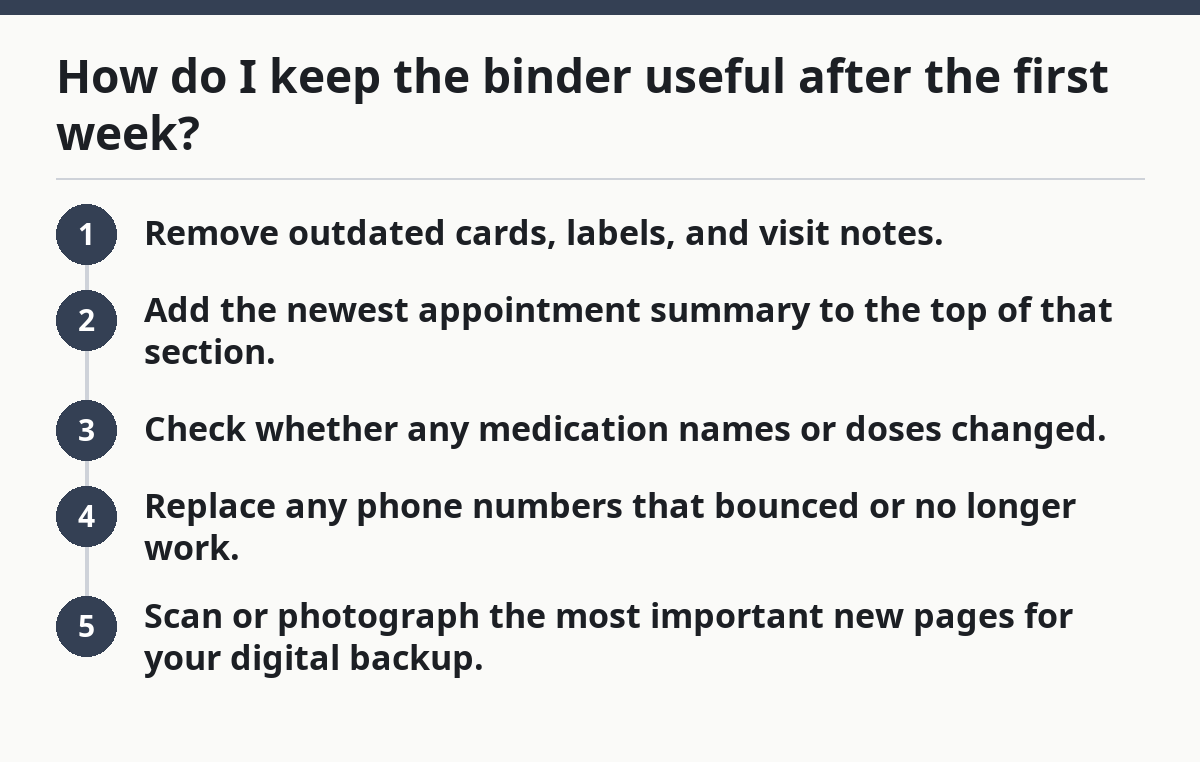
How do I keep the binder useful after the first week?
You keep the binder useful by updating it in small, scheduled passes instead of waiting until it is a mess. A 10-minute refresh once a week is enough for many active care situations, and a monthly cleanup works when care is stable.
Use a simple routine:
- Remove outdated cards, labels, and visit notes.
- Add the newest appointment summary to the top of that section.
- Check whether any medication names or doses changed.
- Replace any phone numbers that bounced or no longer work.
- Scan or photograph the most important new pages for your digital backup.
The digital backup does not need fancy software. A phone folder, a secure cloud folder, or a password-protected PDF collection can work if the file names are clear, and families should confirm their preferred setup with their clinician or care team when privacy or access questions come up. “2026-02 cardiology visit” is more useful than “scan_041.” Sources such as the National Institute on Aging and MedlinePlus also recommend keeping important health information easy to find and share.
The trade-off is time. Paper is quick to use in person, but digital copies are easier to search and share. Most families do best with both, not one or the other. That said, a complicated app can become abandoned in 2 weeks if it takes longer to update than the paperwork itself.
A binder fails when nobody owns it. One person should be responsible for keeping the current version together, even if several people help gather the papers. That does not mean one person must do all the caregiving; it means one person keeps the file from drifting apart. As a result, the binder stays current enough to be useful.
Common mistakes that make a care binder fail
The biggest mistake is trying to save everything. A binder with 150 pages of mixed records is harder to use than a binder with 12 pages of the right ones, especially in a rushed office or hospital setting. The cost is delay and confusion at the exact moment when a doctor’s office wants a quick answer. The fix is to keep recent, active information in the main binder and move old material to an archive folder.
Another mistake is mixing care information with task tracking. When medication changes, appointment reminders, and every family text thread all land in one stack, the binder stops being a reference tool. Keep the binder for reference and use a different system for daily chores or updates.
A third mistake is making the tabs too clever. Labels like “Important stuff” or “Stuff from doctors” sound simple, but they force a reader to guess where things are filed. Use plain labels that match the way clinics speak: Medical Summary, Medications, Insurance, Appointments, Contacts.
A fourth mistake is keeping only paper or only digital. Paper alone can be lost; digital alone can be locked behind a dead phone, bad signal, or forgotten password. A basic binder plus a digital backup is the safer middle ground.
This is also where I draw a line: if the family needs a full legal packet, a detailed emergency response plan, or a communication log for multiple caregivers, this binder should not be stretched to cover those jobs. Separate tools are cleaner and easier to maintain.
What makes a care binder easy for another person to use?
A care binder is easy for another person to use when the first page tells them where to start and the first 5 tabs answer the most common questions. That means the binder should not require family history, memory, or a tour from the primary caregiver.
A practical front pocket sheet helps. Keep it to one page and include the person’s name, main diagnosis or condition, current doctor, preferred pharmacy, and where the backup copy lives. If someone picks up the binder in a hurry, that page gives them a map before they read the rest.
The binder should also travel well. A standard 1-inch binder fits in a tote bag, back seat, or file box more easily than a 2-inch binder stuffed with loose pages. If it gets too thick, split it into “current care” and “archive” rather than making the current file heavier.
This is where the care binder earns its keep. It does not have to be perfect, and it does not have to hold every document ever created. It only has to hold the right information in a form that another human can use without guessing.
What should go in a care binder?
A care binder should hold the current medical summary, medication list, insurance cards, contact list, appointment records, and copies of any advance directive or HIPAA release that the family already uses. The best binder is small enough to update and clear enough to hand off.
Do not pack it with every old record or every family note. A 1-inch binder with 6 to 10 clear sections is often enough, and a digital backup keeps the papers from becoming the only copy. If the binder answers the next question fast, it is doing its job.
Drafted with AI; not yet reviewed by a person.