
How to Set Up Patient Portal Access as a Caregiver

Last updated: November 19, 2026
Key Takeaways
- Ask for proxy access, verify identities, and pick the permission level that matches the care task.
- Proxy access lets one person use a portal for another person’s record without sharing the patient’s login.
- Check the portal’s permission model, identity details, and health system rules before you submit.
- One online request does not fit every case, so use the system’s process for the right record and role.
Setting up patient portal access as a caregiver usually means asking the health system for proxy access, proving your authority, and choosing what parts of the online medical record you can see.
This guide on how to set up access to a patient portal as a caregiver explains the request, verification, and permission steps in one place.
The right setup is a proxy account, not the patient’s own login.
The steps below show how the process usually works, what to check, and where it breaks when providers use different portal systems.
The U.S. Department of Health and Human Services and the Office of the National Coordinator for Health Information Technology both describe patient access rules that vary by system and role.
Who this applies to, and what you need first
This applies to a caregiver who needs routine access to a patient portal for appointments, messages, test results, and medication lists. It assumes the patient is willing to grant access, or that a legal process already allows someone else to act for the patient. Rules vary by jurisdiction, and this is general information, not legal advice; a qualified lawyer should be consulted for your situation.
Picture this: you’re trying to read discharge notes, answer a message from the clinic, and keep track of lab results without sitting in the waiting room. You need one portal account with the right permissions, not a shared password scribbled on paper. That difference matters because most health systems tie access to identity, role, and record type. In many systems, proxy access is the safer route because it leaves an audit trail.
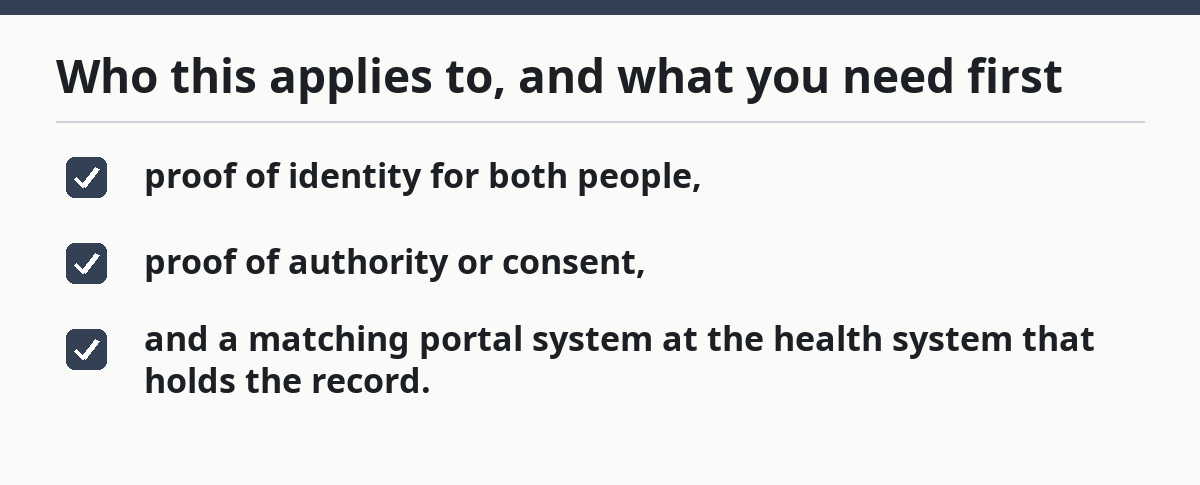
A caregiver setup usually asks for three things:
- proof of identity for both people,
- proof of authority or consent,
- and a matching portal system at the health system that holds the record.
If the patient sees doctors in more than one health system, expect separate portal setups. A proxy account in one online medical record may not carry into another, so each portal needs its own setup.
How do you set up access to a patient portal as a caregiver?
You set it up by asking the health system for proxy access, completing account verification, and choosing the permission level that fits the patient’s care. In most systems, that takes an online form, an identity check, and a release or authorization document the portal can attach to the account. Epic MyChart and other portal vendors may use different screens, but the basic caregiver access steps are similar.
Picture this: you’re on the health system’s website, staring at a sign-in page that was built for patients, not helpers. The right path is usually a menu item like “proxy access,” “caregiver access,” or “manage another account.” If you do not see one, call the portal help desk before making a second login and guessing.
- Find the portal for the health system that owns the record, then look for the proxy or caregiver option before creating anything. Verify the patient’s full name and the system name match the clinic or hospital. A problem is a portal for the wrong health system, which gives you access to the wrong chart or none at all.
- Open the proxy request and choose the caregiver role if the portal offers one. Verify that the form asks for the patient’s information, your information, and the relationship between you. A problem is a generic guest login, which often does not open messages or test results.
- Upload or submit proof of identity and authority in the format the portal requests, such as a government ID scan or a signed authorization form. Verify the file is readable and uncut. A problem is a blurry upload, which can delay review or trigger a denial for incomplete verification.
- Set the permission level that matches the care role, such as view-only access, message access, or full proxy access if the system allows it. Verify whether the portal separates appointment tools from clinical notes. A problem is overbroad access, which may expose parts of the record the patient did not intend to share.
- Link the accounts by confirming the verification code, email link, or in-person identity check the health system sends. Verify that the portal names the correct patient on the screen before you continue. A problem is linking to the wrong family member when several records share a last name.
- Test messages and results inside the portal by opening one secure message thread and one lab or test-results tab. Verify that the portal shows the right date, provider, and record type. If anything looks unclear, contact the portal help desk or a qualified clinician before relying on it. A problem is a system that allows billing but blocks clinical messages, which means the setup is partial, not complete.
- Save the login method in a password manager or another secure place, not on a shared note app. Verify two-factor authentication is on if the portal offers it. If you are unsure about the safest storage method, ask the health system or a security professional before saving it. A problem is using the same password across accounts, which raises the risk of accidental access or account lockout.
Most portals tell you immediately whether the request is pending, approved, or denied. The catch is that “approved” may still mean limited access; one system may allow messages but hide behavioral health notes or certain test categories.
For more detail on the bigger legal framework around caregiver authority, the hub on caregiver legal authority and medical decision access is the right next stop. This page stays on the digital access process, not the broader legal forms.
What is proxy access in a patient portal?
Proxy access is an account permission that lets one person use the portal to view or manage another person’s record without taking over that person’s login. It is a role-based setup, usually tied to the health system’s identity rules, not a shared password arrangement.
Picture this: you need to renew a prescription, read a visit summary, and send a message about a new symptom. A proxy account gives you a lane for that work. It also lets the health system limit what you see, which is why proxy access is not the same as full control of the chart. The Office of the National Coordinator for Health Information Technology describes patient portals as tools for secure access, messaging, and record review.
Most portals separate access into layers:
- messages and appointment tools,
- lab and imaging results,
- medication lists and visit summaries,
- and sometimes full clinical notes.
That structure matters because one caregiver may need only message access, while another needs access to test results after surgery. A parent helping a teen, for example, may get a different view than an adult child helping an older parent. The portal rules usually reflect the patient’s age, the record type, and the health system’s policy.
A proxy account is also safer than sharing a login because it leaves a record of who looked at what. That audit trail can matter if the account needs review later. If the system only offers a patient login with no proxy feature, stop there and ask for the portal support desk instead of improvising.
What to check before you submit the request
You should check the portal’s permission model, the patient’s identification details, and the health system’s own rules before you submit anything. A 10-minute review can spare days of back-and-forth, especially when one hospital uses Epic MyChart and another uses a different portal vendor.
Picture this: you’re halfway through a form and realize the patient’s middle initial is wrong, or the clinic still has an old address. Those details sound minor. They are not. Portal verification often keys off exact identity fields, and a mismatch can stall the request. HHS guidance on patient access and identity matching makes that risk clear.
Check these items first:
- the patient’s legal name as it appears in the chart,
- date of birth,
- the health system’s portal name,
- the contact email tied to the caregiver account,
- and whether the patient portal supports proxy roles at all.
If the patient is a minor, an adult with a guardian, or someone whose record is split across specialties, ask how that system handles segmented access. Some portals block sensitive categories by design. That is not an error; it is the system working as built. The fix is to ask the health system how to request the right level, not to reuse someone else’s login. If the rules are unclear, a qualified professional should help interpret them.
When the standard setup does not apply
The standard online request does not fit every case, and forcing it can waste time or expose the wrong record. In those cases, the health system may need an in-person form, a paper authorization, or a different legal basis for access.
Picture this: you’re trying to help, but the portal keeps saying the patient has to be present, or the account holder’s name does not match the chart. That is a sign to pause. Different portals treat minors, adults with guardians, estranged family members, and emergency situations in different ways, so the system may route you to another process.
The patient cannot consent right now: the portal may not accept a normal caregiver request — use the health system’s alternative process for surrogate or legally authorized access.
The patient is a minor and the portal hides teen records: the system may split access by age or service type — ask the portal office what is visible to a parent or guardian.
The patient has multiple records across health systems: one proxy approval may not cover all portals — repeat the setup for each health system that holds data.
The health system rejects the request for identity mismatch: the chart and the submitted documents do not line up — correct the name, date of birth, or document format before resubmitting.
The portal only allows patient login sharing: that is a poor fit for caregiver work and can violate the system’s rules — ask for proxy access instead of sharing credentials.
These are not minor glitches. They define whether the portal can be used at all. If the system asks for something you do not have, such as formal authority, do not guess at the answer; ask the portal staff what documentation they accept. If needed, a lawyer or clinic social worker can help with the next step.
The mistakes caregivers make most often
Most portal problems come from treating a proxy account like a social media login, then trying to fix the mess after access breaks. The health system is usually looking for an exact match between identity, authority, and permissions, not a general promise that you help with care.
Picture this: you finally get access, then the account locks because the password was shared with two people, or the wrong email was used at sign-up. The portal did what it was built to do. It protected the record.
Common mistakes include:
- Sharing the patient’s password. Consequence: no audit trail and a real risk of lockout. Correct alternative: request proxy access through the portal or the health system desk.
- Using the wrong portal. Consequence: you can sign in but still miss the record you need. Correct alternative: confirm the health system name before you start.
- Skipping account verification. Consequence: the request stays pending or gets denied. Correct alternative: finish every identity check the portal asks for.
- Expecting full access by default. Consequence: messages may work while test results stay hidden. Correct alternative: read the permission screen before you submit.
- Ignoring separate systems. Consequence: access in one clinic does not appear in another. Correct alternative: repeat the setup for each health system.
- Not checking shared email access. Consequence: approval links or security codes go to the wrong inbox. Correct alternative: use a secure email the caregiver actually controls.
The truth is, the mistake is rarely technical. It is usually assuming all portals behave the same. They do not. A hospital portal, a clinic portal, and a specialty practice portal can each use different rules for proxy access and message viewing.
How long does it take, and what does a finished setup look like?
A finished caregiver portal setup usually shows the patient’s name on the account, the correct permission level, and working access to the parts of the record the health system allows. The timing depends on how fast verification is completed and whether the system needs manual review.
Picture this: you submit the form on a Tuesday, and by Thursday you still cannot open test results. That can mean the request is still pending, not that it failed. The status page or help desk is the place to check first, not a second fresh application. Some systems approve access in 1 to 3 business days; others take longer if a manual review is required.
A good result usually looks like this:
- the portal dashboard lists the correct patient,
- the caregiver role appears on the account,
- secure messages can be read and sent where allowed,
- and test results open without asking for the patient’s password.
If any one of those is missing, the setup is incomplete. Some systems approve access in stages, and some never allow everything through one account. That is normal. The goal is not “full control”; the goal is the right access for the care task.
For authoritative background on patient access and privacy frameworks, the U.S. Department of Health and Human Services and the Office of the National Coordinator for Health Information Technology publish patient access guidance and interoperability material that explain why portals are split by system and permission.
Can a caregiver use my portal login?
No, a caregiver should not use the patient’s login if the health system offers proxy access. Sharing a password usually bypasses the account’s permission controls and can break the audit trail the portal relies on. If proxy access is unavailable, contact the portal help desk and ask what caregiver option the system supports.
What is proxy access in a patient portal?
Proxy access is permission for one person to act inside another person’s portal account without taking over the patient’s login. It can allow viewing messages, test results, or visit summaries, depending on the health system’s rules. Some portals limit proxy access by age, role, or record type.
How do I get access to a parent’s medical portal?
You usually ask the parent’s health system for proxy access, complete identity verification, and submit any authorization the portal requires. The exact form depends on the portal vendor and the health system’s policy, and some records need manual review. If the portal blocks the request, ask the health system which caregiver documents it accepts.
Drafted with AI; not yet reviewed by a person.