Last updated: October 20, 2026
Quick Answer: a caregiver communication log works best when it records each update in the same 5 fields, so one shared record can track doctor updates, aide notes, and family messages without losing the thread. A caregiver communication log keeps doctor updates, aide notes, and family messages in one place so nothing gets lost between visits, phone calls, and text threads. If you are juggling a primary care physician, a home health aide, and two relatives who all hear different pieces of the story, this caregiver communication log becomes the one record everyone can trust.
Key takeaways
- A caregiver communication log is for updates, decisions, questions, and follow-up, not for replacing medical records.
- Put the same fields in every entry so you can scan a month of notes in a few minutes.
- Record who said what, when they said it, and what needs action next.
- Keep doctor notes, aide notes, and family notes separate enough to read, but close enough to compare.
- A shared notebook works well for in-person care; a message thread works better for quick remote updates, but both need cleanup.
- A plain-paper log can work well if people actually use it every day.
What a caregiver communication log should capture
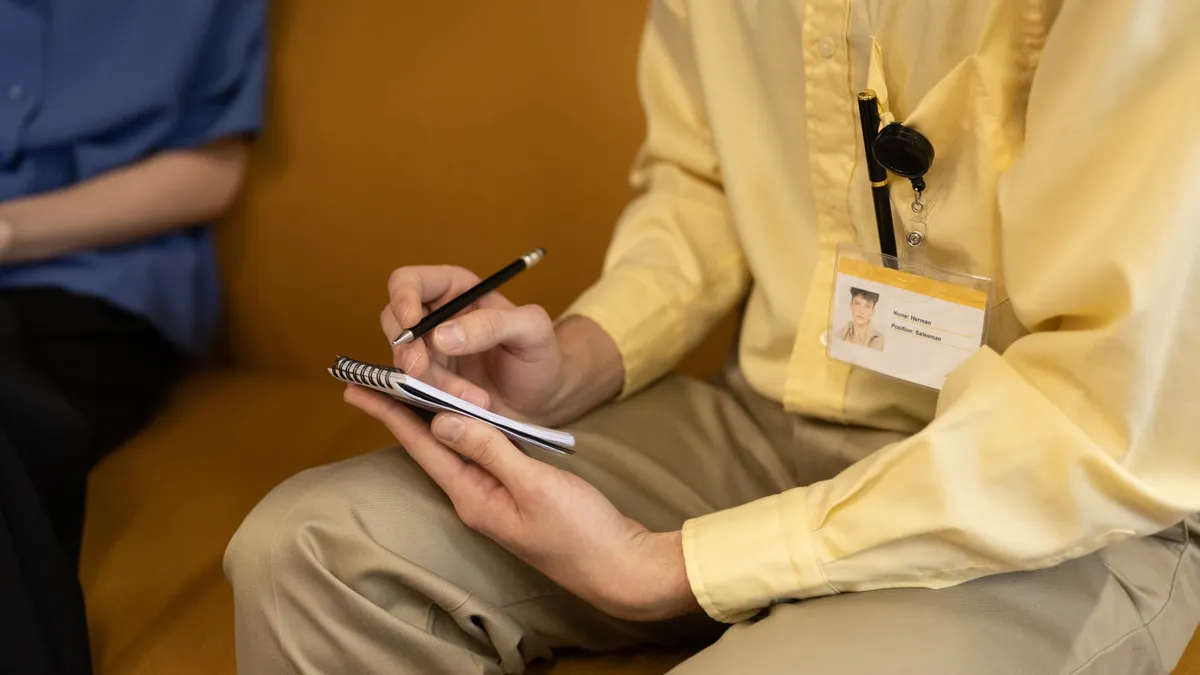
A caregiver communication log should capture the message, the person who gave it, the date and time, and the next step. That is the whole point: a clear trail of who said what, so the family does not have to reconstruct events from memory after three phone calls and a voicemail.
A good log is not a diary and not a medication chart. It is a running record of communication about care decisions, symptoms, concerns, instructions, and follow-up tasks. If the primary care physician says to watch for a change in appetite, the log should hold that note. If a family member says the aide noticed confusion after lunch, the log should hold that too. If someone promised to call back on Friday, the log should show whether that happened.
Use the caregiver communication log for:
- doctor updates from office visits, discharge calls, or portal messages
- home health aide observations from a shift or handoff
- family updates from phone calls, texts, or in-person conversations
- questions that still need an answer
- tasks that someone agreed to do
- appointment notes and after-visit instructions
A shared notebook on the kitchen counter works when caregivers are in the same house. A message thread works when people are spread out, but it gets messy fast because replies bury the original point. The caregiver communication log gives those messages a permanent order.
This matters most when more than one person is involved. One aide hears about a new instruction from the doctor, one sibling hears something different from the spouse, and the chart on the refrigerator says nothing about either. A communication log reduces that drift. It also helps during transitions, such as a hospital discharge, when details arrive in pieces across a 15-minute phone call, a printed summary, and a follow-up message the next morning. For discharge communication, MedlinePlus explains that patients and families should receive clear instructions and follow-up information at home: https://medlineplus.gov/dischargeinstructions.html
For broader care coordination, this caregiver communication log fits naturally inside the larger caregiver planning and coordination system, but it serves a narrower job: communication and follow-up, not full household organization. The National Institute on Aging also notes that family caregivers often need organized records to keep appointments, medications, and instructions straight: https://www.nia.nih.gov/health/caregiving/caregivers-handbook
How do caregivers keep track of communication?
Caregivers keep track of communication by using one fixed format and writing every update in the same order. The format matters more than the paper, app, or notebook, because consistency is what lets you find a note from three weeks ago in under 30 seconds.
Here is a simple procedure that works in a notebook, spreadsheet, or shared document:
- Choose one home for the log, such as a single shared notebook, a binder with tabbed dividers, or one digital file. Keep it in one place, not scattered across sticky notes and separate text threads.
- Set up 5 fields on each page or row: date and time, who spoke, source of update, what was said, and what happens next. Those 5 fields are enough for most family care situations.
- Record each update as soon as possible after the call, visit, or message. A 2-minute note written right away is usually clearer than a polished summary written 2 days later.
- Use the exact words for instructions when they matter, especially for follow-up directions from the primary care physician or discharge staff. If the wording is uncertain, note that it needs confirmation.
- Mark the next action in plain language, such as “call back,” “watch for swelling,” or “family to review by Sunday.” That keeps the log from becoming a dead record.
- At the end of the day, scan for open items and put them on a separate follow-up list if needed. The goal is to make sure no question disappears into the log.
A simple layout beats a clever one. A page with 5 columns—date, person, source, note, next step—handles most caregiver communication without making anyone hunt for the right category. In a spreadsheet, the same fields work across rows. In a shared notebook, one line per update is enough when the note is short.
If the group is large, add a small initials key on the first page. That saves confusion when three people with the same last name leave notes in the same binder. A single page dated by week also helps when the care rhythm is steady, because you can see the week at a glance instead of flipping through loose pages.
The cost of skipping structure is missed follow-up. A message like “Dr. Lee called back” is not useful unless it says what Dr. Lee said, when the call happened, and who still needs to act on it. Write the action next to the note, not somewhere else.
What to write after a doctor visit or phone call
After a doctor visit or phone call, write the recommendation, the reason it was given, and the exact follow-up step. That is what turns a conversation into something the rest of the family can use later.
A doctor update should usually include, in a way that fits the situation and with a professional’s guidance if anything is unclear:
- the doctor’s name and role, such as primary care physician
- the date, time, and setting, such as office visit, telehealth call, or portal message
- the main issue discussed
- any change in symptoms, treatment, or monitoring
- the next appointment, test, or callback
- who is responsible for the next step
Do not rely on “doctor said everything looked fine” unless that really is the whole point. Most updates are not that neat. A useful note might say: “PCP visit 4/12, 10:30 a.m. — reviewed cough and fatigue; doctor wants family to monitor temperature once a day for 5 days and call if symptoms worsen; follow-up in 2 weeks.” That note gives the family something concrete to do.
If the update came through a patient portal, copy the key point into the caregiver communication log rather than leaving it buried in a message thread. Portal messages are easy to miss when there are multiple caregivers. A brief log entry puts the information where everyone can see it.
Be careful with shorthand that only makes sense to the person who heard it. “Watch closely” is not enough. “Watch for dizziness when standing” is better. “Call if needed” is vague; “call the office if swelling increases over 24 hours” is actionable.
A doctor update also deserves a follow-up checkbox. If someone said they would send paperwork, call back about a lab result, or confirm a referral, write that down in the same entry. The log should answer the question, “What still needs doing?” without forcing anyone to search through a separate email chain.
How to log home health aide observations without losing the context
A home health aide log should record what the aide observed, what changed from the last shift, and what was passed along to the next caregiver. That is the part families usually miss, because aide notes often get reduced to “fine” or “no issues,” which tells you almost nothing.
Aide updates are most useful when they describe observable details:
- sleep, appetite, mood, or confusion changes
- mobility or transfer concerns
- missed meals or refused care
- new pain complaints
- skin changes, coughing, falls, or unusual fatigue
- whether the update was shared during handoff
Keep the note factual. “Refused breakfast and stayed in bed until 11 a.m.” tells you more than “having a rough morning.” If a home health aide reports a change, write the time and whether it was a one-time event or part of a pattern. A single rough day is different from a repeated shift in behavior.
This section of the caregiver communication log should not turn into surveillance. The purpose is continuity, not blame. If a family member reads back through the entries, they should be able to see whether the care plan is drifting or whether one day simply looked unusual. That distinction matters when several people rotate responsibilities over a 24-hour period.
Use a separate line for handoff notes. A handoff note might say, “Aide left at 3 p.m.; daughter to prepare lunch; patient resting in recliner.” That short sentence can prevent the next person from repeating a task or missing one. In a shared notebook, place handoff notes in a clearly marked section, even if the page is only 1 day long.
The trade-off is time. A detailed aide note takes longer than a quick checkmark. But the cost of vague notes is higher: families end up guessing whether a change is new, old, or already addressed. A 30-second entry now often saves a 10-minute phone call later.
What family updates belong in the log?
Family updates belong in the caregiver communication log when they affect decisions, tasks, or the shared understanding of the situation. A text that says “I’ll stop by Thursday” may be useful to the household, but a communication log should hold the parts that matter to care coordination.
Write down family updates that include:
- who will cover a visit or errand
- what the person learned from the patient
- questions they want the next caregiver or doctor to answer
- changes in availability for the next 7 days
- agreements about transportation, meals, or check-ins
A family note should avoid secondhand speculation. “Mom sounded more tired” is worth recording if it came from someone who saw her, but “I think she is getting worse” is less useful unless it is paired with a concrete observation. Put the observation first, then the interpretation if it matters.
The caregiver communication log also helps when family members disagree. If one person says the doctor gave a different instruction than another person heard, the log provides a place to write both versions and mark the one that needs confirmation. That is better than letting the argument play out over a 12-message thread. A short note such as “unclear whether low-salt diet was still recommended; call office Monday” keeps the issue visible.
For family updates, a weekly check-in rhythm works well. If the people involved are spread across time zones, one standing call or message review each week can prevent the log from filling with redundant fragments. The point is not more communication. It is cleaner communication.
This is also the right place to note who has the log. If the notebook lives with one sibling, the others need to know how to get the latest page. If the shared document has been updated, say so in the log itself. A family update without a clear location becomes another lost message.
Common caregiver log mistakes that create confusion
The biggest caregiver log mistake is writing notes that are too vague to act on. A line that says “doctor said okay” costs time later, because nobody knows what was okay, for how long, or what the family should watch next. The fix is to include the action and the trigger for follow-up in the same entry.
Other common mistakes:
- putting updates in different places, such as a notebook, a phone, and a text thread; this costs time because no one can tell which record is current
- writing only conclusions, not sources; this costs trust because readers cannot tell whether the note came from the doctor, the aide, or a family member
- leaving out dates and times; this costs context because repeated symptoms look like one event
- using nicknames or initials without a key; this costs clarity when multiple people are involved
- waiting until the end of the week to reconstruct the log; this costs accuracy because details blur fast
A better approach is to treat the caregiver communication log like a running handoff sheet. One line per update. One source. One next step. If the message is long, keep the summary short and attach the longer note somewhere else. A communication log is not the place for a full narrative.
A second mistake is confusing the log with the care plan. The care plan says what should happen. The log shows what was actually said and done. Those are related, but they are not the same. If the family uses the log as a substitute for a care plan, important patterns can get buried. If they use the care plan alone, they lose the record of changes and questions.
A final mistake is letting the caregiver communication log become a graveyard for unanswered questions. If a question has sat for 3 days, move it into a visible follow-up list or highlight it. A log should help the family close loops, not hide them.
Keep the log usable day after day
The caregiver communication log stays useful when it stays short enough to read in 5 minutes and detailed enough to answer the next question. That balance is what makes the system last.
A practical setup is to review the log at the same time each day, even if that review takes only 10 minutes. During that pass, check three things: what changed, what still needs action, and whether any note is too vague to help. If the log is paper-based, date each page and move completed follow-ups to a simple archive section. If it is digital, use one file name format so the latest version is obvious.
If you expect outside professionals to read the log, keep the language neutral and factual. “Patient was rude” is less useful than “patient refused to answer two questions during the visit.” The second version can be acted on. The first only adds heat.
This system is not for every situation. If only one caregiver is involved and there are very few outside updates, a full communication log may be more structure than you need. A single page of notes might be enough. It also will not fix poor communication by itself. If family members do not agree to use it, the log becomes one more thing to maintain. The log works best when at least two people commit to writing in it consistently.
For readers who want the larger setup, this fits inside the broader caregiver planning and coordination framework. This page stays focused on one job: keeping a caregiver communication log useful for doctors, aides, and family.
Drafted with AI; not yet reviewed by a person.