
Caregiver Coordination and Communication: The Complete Guide

Last updated: November 19, 2026
Quick Answer: caregiver coordination and communication — The Complete Guide works best with one shared plan, one update channel, and a short handoff routine. In most families, that means a single source of truth for meds, appointments, and contacts, plus a weekly review and a clear backup person. The steps below explain how to build that system, what to keep in it, and when to change it as care gets more complex.
Key Takeaways
- Caregiver coordination keeps the right person on the right task at the right time.
- A caregiver communication plan works best when roles, one update method, and key facts are written down.
- A good handoff repeats the change, records it, and confirms who will act next.
- A shared care record should hold only the information people need to act fast.
Caregiver coordination breaks down when nobody knows who did what, when, or why. The fix is a simple system: one shared plan, one place for updates, and clear handoffs every time. The steps below settle what to track, who should say what, and how to stop missed meds, duplicate tasks, and family confusion.
A caregiver coordination system is only useful if it can survive a tired phone call at 9 p.m. I write on caregiving systems, care transitions, and family communication plans, so I know the gap between good intentions and usable routines.
What caregiver coordination actually needs to do

Caregiver coordination needs to keep the right person doing the right task at the right time. That sounds plain, but the work gets messy fast when one adult handles refills, another books rides, and a third gets the after-hours call. The goal is one version of the truth about care.
Picture this: you’re balancing three texts, a paper calendar on the fridge, and a voicemail from the clinic. One person says the appointment moved, another says the pill dose changed, and nobody knows who confirmed the ride. That’s the problem this guide solves, and that is why caregiver coordination and communication — The Complete Guide starts with a shared system.
The core job is not “better communication” in the abstract. It is fewer missed details, fewer repeats, and fewer surprises during care. A good coordination setup answers six questions at a glance: who is in charge today, what changed, what has been done, what still needs action, where the records live, and who gets called in an emergency.
Here’s the catch: many families try to fix this with more talking. That fails.
Use a shared structure instead.
- One shared care plan
- One contact list
- One update channel
- One medication list
- One appointment tracker
- One handoff routine
How do you set up a caregiver communication plan?
You set up a caregiver communication plan by defining roles, choosing one update method, and writing down the few facts that matter most. Do that before the next appointment, not after the next mistake.
Picture this: you’re the adult child who keeps getting asked, “Did anyone tell the nurse?” while trying to remember which sibling changed the pharmacy. A plan fixes that by making the answers visible, not buried in memory.
Start with the cast of characters. Name the primary caregiver, backup caregiver, family contact, medical contact, and emergency contact. Then write each person’s job in plain language. “Calls the clinic,” “drives to appointments,” and “tracks medications” are better than vague titles.
Then pick one place for updates. It can be a shared note, a paper binder, or a secure app, but choose it with the care team’s needs in mind and consult a professional if privacy or clinical workflow is a concern; the Agency for Healthcare Research and Quality and the National Institute on Aging both emphasize keeping care information organized and easy to find. The tool matters less than the rule: if it is not in that system, it did not happen.
A simple plan should include
- Full names and phone numbers
- Preferred way to contact each person
- Medication list with dose, time, and prescriber
- Appointment dates and transportation notes
- Allergies and serious diagnoses
- Insurance details and policy numbers
- A backup person for nights and weekends
If you are building this for a complex situation, consult a clinician, social worker, or case manager before you finalize the list; the National Institute on Aging recommends keeping a current care team list and sharing it with key helpers. The plan also needs a short emergency section. Keep it to the point: who to call first, which hospital to use if one is preferred, where the advance directive is stored, and what symptoms mean “call now.” A one-page emergency sheet beats a long folder nobody opens.
The communication rules that stop missed details

The best communication rule is to repeat the change, write it down, and close the loop. In practice, that is one of the most reliable ways to reduce confusion, because the message is confirmed before the conversation ends.
Picture this: you’re leaving a clinic visit with two new instructions, one old medication stopped, and a lab follow-up in 10 days. If nobody confirms the changes before walking out, the family will spend the next week guessing. That is how small errors grow.
Use this three-step habit after every change:
- State the change in one sentence.
- Write it in the shared system.
- Assign the next action to one person.
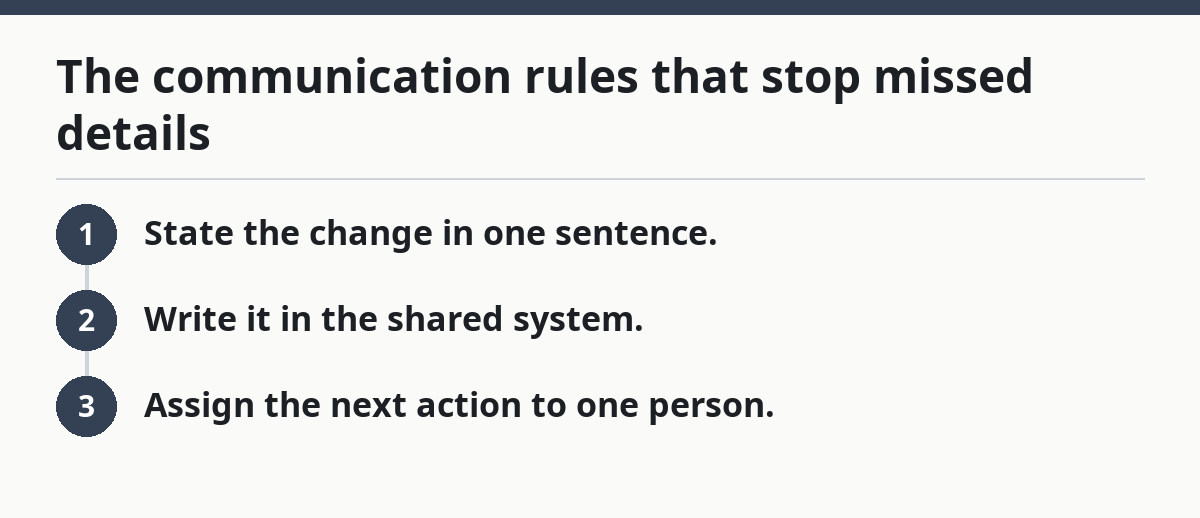
That last step is where many families fail. “Someone will call the pharmacy” is not a task. “Alex will call the pharmacy by 3 p.m. today” is a task.
The safest handoffs are usually short when the point is clarity, not storytelling. Use the same format every time:
- What changed?
- What is the next step?
- Who owns it?
- By when?
- What should trigger a call back?
If speech gets heated, move the issue to writing. Text threads are messy, but they create a record. A note in a binder is slower, but it can survive a dead phone battery. Pick one that fits the family, then stick with it.
What belongs in a shared care record?
A shared care record should hold only the information people need to act fast. If it turns into a life story, nobody will use it when they need it most.
Picture this: you open a binder and find lab reports from last year, old insurance letters, a birthday card, and no current med list. That binder looks organized. It is not useful. A care record should be lean.
The most useful items are:
- Current medication list
- Allergies and reactions
- Diagnoses and recent procedures
- Primary doctor and specialists
- Appointment schedule
- Insurance and pharmacy details
- Mobility limits or fall risks
- Diet restrictions
- Advance directive or medical proxy
- Hospital preference, if one exists
If the care team is unsure what belongs in the record, consult a doctor, pharmacist, or case manager before leaving something out. Keep a second section for change logs. Each entry should say the date, what changed, who reported it, and who needs to act. That matters because care changes do not stay in one clinic. They move through family members, aides, home health staff, and specialists.
Do not scatter the record across five notebooks and seven text threads. That is how medication changes get missed. A single home base, even a basic one, works better than a fancy system no one opens.
Which tools work best for caregiver coordination?
The best tool is the one the least tech-confident caregiver will actually use. That usually means a paper binder, a shared calendar, or a simple secure app—not a complicated platform with features nobody needs.
Picture this: you’re trying to track a dentist visit, a refill, and a ride home while one sibling refuses new apps and another forgets to check email. The right tool has to be boring enough to survive real life.
Paper works well when the team is small, the care plan is stable, and people meet in person often. A binder on the kitchen counter can hold med lists, appointment slips, and instructions. Its weakness is obvious: it can be lost, damaged, or left behind.
Shared calendars help when appointment timing is the main problem. They are strong for reminders and quick visibility. They are weak at storing detailed notes, and they rely on everyone checking them.
Secure care apps can be better when there are many people, repeated updates, or frequent changes. They centralize messages and tasks. The downside is adoption. If one person does not use the app, the system starts to split.
A practical tool choice
- Paper binder for low-tech families and one main home
- Shared calendar for appointment-heavy care
- Secure app for larger teams or frequent handoffs
A smart setup often mixes two tools: a shared calendar for dates and a written care record for details. That combination covers most family needs without making anyone learn a system they will abandon in two weeks, and it aligns with the AHRQ guidance on keeping care transitions organized.
How do you coordinate with doctors, aides, and family at the same time?
You coordinate across providers and family by giving each group the same facts, but not the same amount of detail. Doctors need accurate updates. Family needs clear tasks. Aides need instructions they can follow on the spot.
Picture this: you’re trying to explain the same blood pressure change to a clinician, a home aide, and two relatives who all ask different questions. If each person gets a different story, the plan fractures. That is how confusion becomes risk.
Use a simple rule: the medical facts stay exact, and the action items stay short. For example, “dose changed on Tuesday,” “check pressure before breakfast,” and “call if the reading stays above the threshold the clinician gave you.” Keep the original wording from discharge papers when possible.
If there are outside helpers, ask who is allowed to receive updates. Some clinics and home care agencies have privacy rules that limit what can be shared without permission. That is not a nuisance. It is part of the job.
One person should also keep a contact tree. That means one primary call list with backups. If the lead caregiver is unreachable, the backup should know exactly who to call next and what to say.
Use this order for outside communication
- Medical provider
- Care team lead
- Backup family contact
- Home aide or transport helper
- Emergency contact if needed
When the team is large, keep messages short and factual. Long emotional messages invite arguments. Short updates get action. For clinic-facing coordination, the advance care planning guide and home health support overview can help families stay aligned.
What are the biggest coordination mistakes?
The biggest mistake is assuming everyone heard the same thing. They did not. People remember different parts, and stress makes memory worse.
Picture this: you think your sibling handled the refill, your sibling thinks the aide did, and the pill box is empty on Thursday night. That error is common because the task was never assigned to one person. It was only discussed.
The other common mistakes are easy to spot:
- Using too many channels
- Failing to name one owner
- Hiding changes in a group chat
- Leaving no written backup
- Letting old forms stay in circulation
- Waiting until the crisis to build a system
Another trap is role overlap. If two people both think they are “helping,” they may duplicate calls or skip them entirely. Clear ownership prevents that. So does a tiny written handoff after every appointment.
There is also a comfort trap. Families often keep the old routine because it feels familiar, even after it stops working. If the current setup relies on memory, it is already breaking.
When should the system change?
The system should change as soon as care becomes harder to hold in one person’s head. If there are more meds, more appointments, more helpers, or more appointments at different clinics, the old setup is too small.
Picture this: you’re still using the same loose notes you used when care was simple, but now there are three specialists, rotating aides, and weekend coverage. The old method is not “working fine.” It is just not failing loudly yet.
Change the setup when you see any of these signs:
- Missed meds or duplicate doses
- Repeated appointment confusion
- Family arguments about who knew what
- New diagnoses or hospital discharge instructions
- More than one caregiver sharing duties
- A parent or patient forgetting the details often
A small change can fix a lot. Sometimes the answer is a shared calendar. Sometimes it is a binder with tabs. Sometimes it is a weekly check-in that lasts 15 minutes. The point is to match the system to the workload.
If the care situation is very complex, ask for help from a hospital social worker, case manager, or discharge planner. They can help build a structure that fits the setting. A professional review is especially useful after a hospitalization, when the plan changes fast and the paper trail gets thick, and the National Institute on Aging recommends asking for help when care needs become harder to manage alone.
What does good caregiver communication look like day to day?
Good caregiver communication looks boring in the best way. The same facts show up in the same place, tasks have names, and no one has to guess what changed.
Picture this: you open the shared note and see today’s appointment, the medication change from Monday, and a reminder that the pharmacy refill is due tomorrow. Nobody has to hunt through five texts. That’s good communication.
A daily rhythm can be very simple:
- Morning: check tasks, meds, and appointments
- Midday: confirm any transport or clinic updates
- Evening: note anything that changed
- Weekly: review the care plan and next appointments
The best systems also include a short weekly call or check-in. Ten to 15 minutes is enough for many families. The point is to catch small problems before they become missed care.
This is not about making everyone talk more. It is about making the right information easy to find, and that is one reason caregiver coordination and communication — The Complete Guide keeps returning to the same few habits.
The verdict: which setup should you choose?
Choose a paper binder plus shared calendar if the care team is small, the main problem is missed dates, and not everyone wants to use an app. Choose a secure care app if several people share duties, updates happen often, and the team needs a central message trail. Neither if the family will not agree on one owner for each task.
Picture this: you’re trying to keep care stable through ordinary life, not build a project. That means the best system is the one people will keep using after the first week.
The recommendation is plain. Start with the least complicated setup that can hold current meds, appointments, contacts, and a change log. If the team grows or the care plan gets more complex, move up one step.
Choose the right setup like this
- Choose paper and a calendar if one home and one main caregiver handle most tasks.
- Choose a secure app if handoffs happen daily and messages keep getting lost.
- Skip both if no one will agree to keep the record current.
Exception scenarios where the choice flips
The usual answer changes when the care situation has a sharp edge. Those cases need a different setup right away.
Picture this: you have a stable routine until a hospital discharge drops three new prescriptions, two follow-ups, and home care instructions into the mix. The old system may fail overnight.
Flip the choice if any of these are true:
- Multiple helpers live apart. A secure app can beat paper when people are in different cities and need the same update at once.
- The care plan changes weekly. A written log with timestamps matters more than memory.
- The caregiver is not tech-comfortable. Paper can beat a smart app if it will actually be used.
- Privacy rules are tight. A clinic-approved communication method may be required, especially in formal care settings.
The best system is the one that stays accurate under stress. If a tool cannot survive a rushed evening, it is the wrong tool.
FAQ
What is the single most important thing in caregiver coordination?
The single most important thing is one shared place for current information. Without that, people rely on memory, and memory breaks under stress. A current med list, contact list, and task owner list solve more problems than a long conversation does.
Should caregiver communication happen by text or by phone?
Text is better for details that need to be saved, and phone calls are better for urgent, messy, or emotional issues. Many families use both. The key is to write the final decision somewhere after the call ends.
How often should caregivers check in?
A short daily check-in works for active care, and a weekly review works for steadier routines. If there are medication changes, new symptoms, or recent discharge instructions, check in more often until the plan settles.
What should go in an emergency care sheet?
Put the emergency contact list, current medications, allergies, doctor names, hospital preference if one exists, and the location of the advance directive or medical proxy. Keep it short enough that someone can read it under stress.
What if family members disagree about the care plan?
Put the disagreement in writing and return to the current medical instructions, the current task list, and the person who has authority to make the decision. If the conflict keeps blocking care, ask a social worker, case manager, or clinician to help reset the plan.
Drafted with AI; not yet reviewed by a person.